Skip to content
University
Videos
Topics
Updates
Search the videos
Topics
Registrants: approve, decline, restore
All 14 moments in Digital Samba University that depend on this.
Start here: Digital Samba in 90 seconds
1:36
0:46
Registration
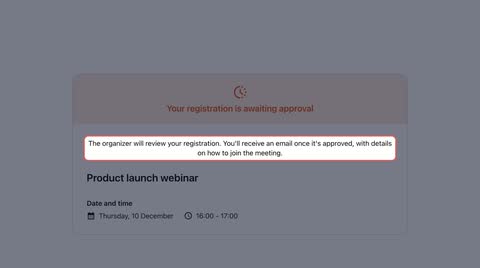
She approves each one, and only then do they receive the joining details.
Read
Approve and manage registrants
Webinars and registration · 1:57
0:01
Introduction
In this video, you'll approve the people who registered for your webinar — a meeting with an audience — one at a time or all at once.
Read
0:24
Registrants
No email has gone out yet: not to them, and not to you.
Read
0:28
Registrants
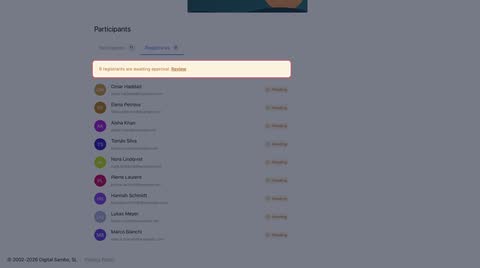
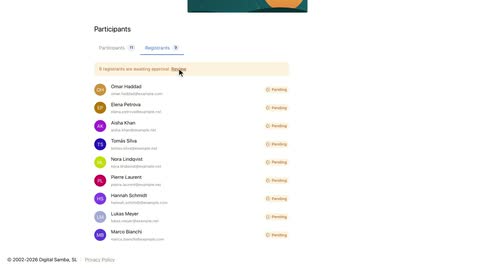
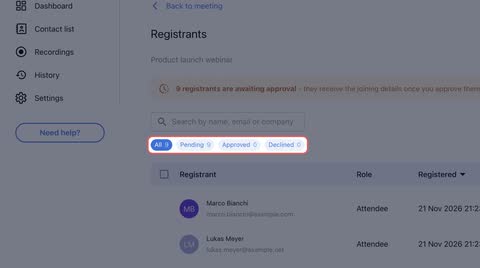
So open the webinar's page: the Registrants tab shows who is waiting.
Read
0:33
Registrants
Click Review.
Read
0:35
Registrants
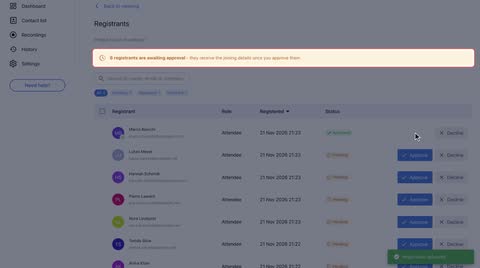
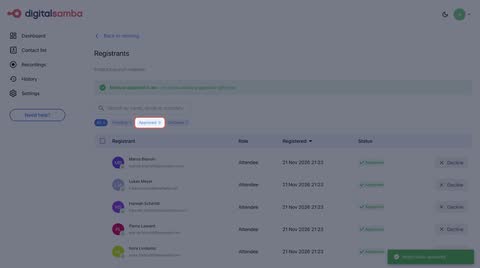
Here you can search by name, email or company, or show only Pending, Approved or Declined.
Read
0:43
Approve or decline
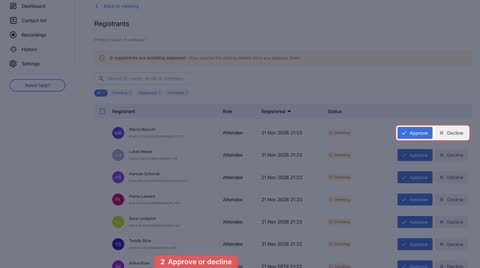
Each registrant has their own Approve and Decline buttons.
Read
0:53
Approve or decline
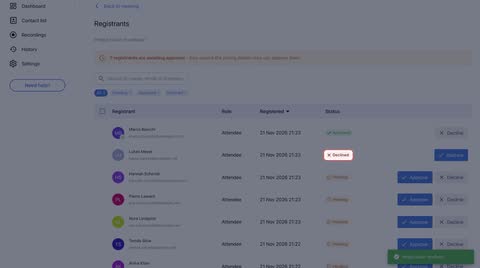
Decline Lukas, and nothing is sent: he simply never gets the joining details.
Read
0:58
Approve or decline
Declined by mistake?
Read
1:00
Approve or decline
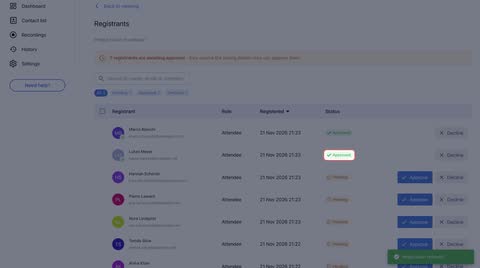
Restore approves Lukas, and his email goes out.
Read
1:04
Approve all
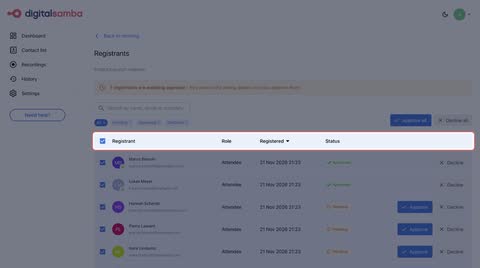
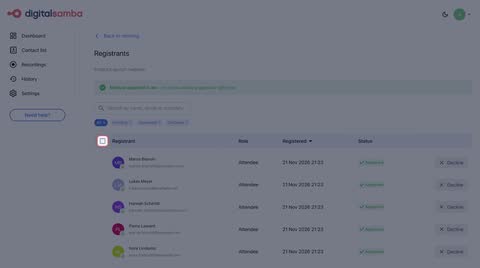
To answer many at once, tick the box at the top: it selects everyone on the page.
Read
1:10
Approve all
Click Approve all and confirm: the seven people still waiting are approved, and each one gets the email.
Read
1:18
Approve all
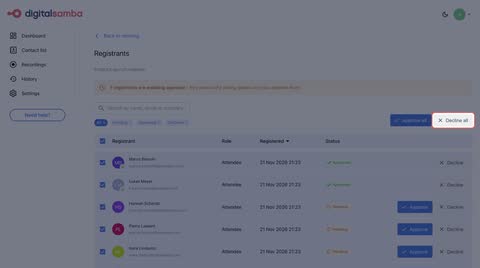
Decline all works the same way, on the people you've ticked.
Read
1:41
Recap
So: open Registrants, then approve people one at a time, or tick them and click Approve all.
Read
All topics