Skip to content
University
Videos
Most watched
Topics
Updates
Search the videos
Topics
The tools in a type of call
All 6 moments in Digital Samba University that depend on this.
Choose the tools in your calls
Customise your calls · 2:35
0:01
Introduction
In this video, you'll choose the tools people get in a call — a meeting, a class or a webinar: chat, questions, polls and shared files.
Read
0:26
Components
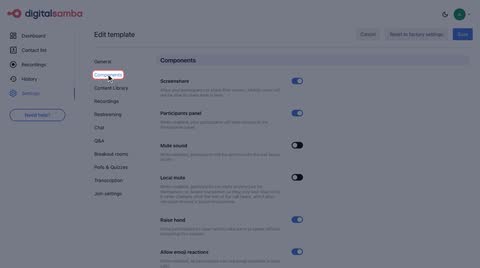
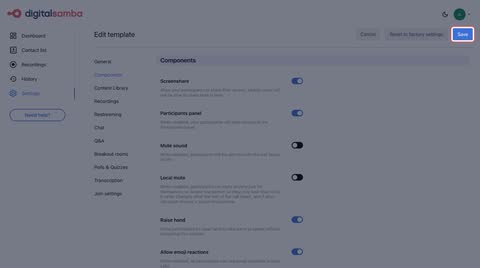
Click Client webinar, then Components.
Read
0:29
Components
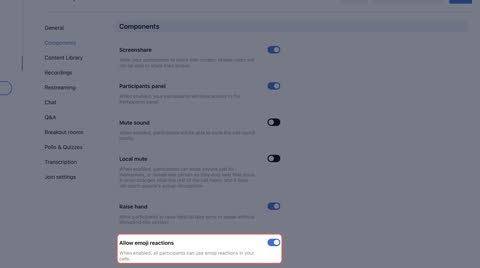
Most tools are on from the start, like Screenshare, Raise hand and emoji reactions.
Read
1:57
Good to know
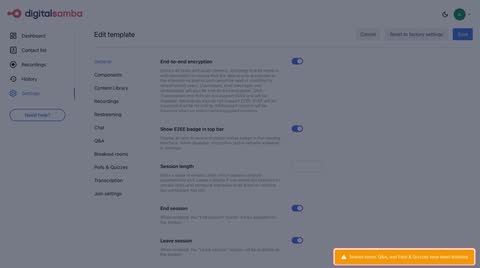
Good to know: if you turn on End-to-end encryption, under General, Shared notes, Q&A and Polls are switched off and greyed out.
Read
2:07
Good to know
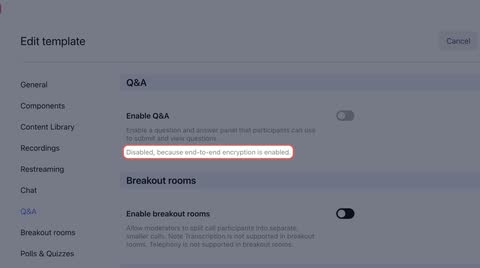
The page says why: Disabled, because end-to-end encryption is enabled.
Read
2:17
Recap
So: Settings, Templates, your type of call; choose the tools in Components, Chat, Q&A, Polls and Content Library, and click Save.
Read
All topics