University

Choose the tools in your calls

In this video, you'll choose the tools people get in a call — a meeting, a class or a webinar: chat, questions, polls and shared files.

Updated Version 2

1Components0:12

Our example: Ana runs webinars for clients, in her own type of call, Client webinar.

Go to Settings, then Templates: the name these pages use for types of call.
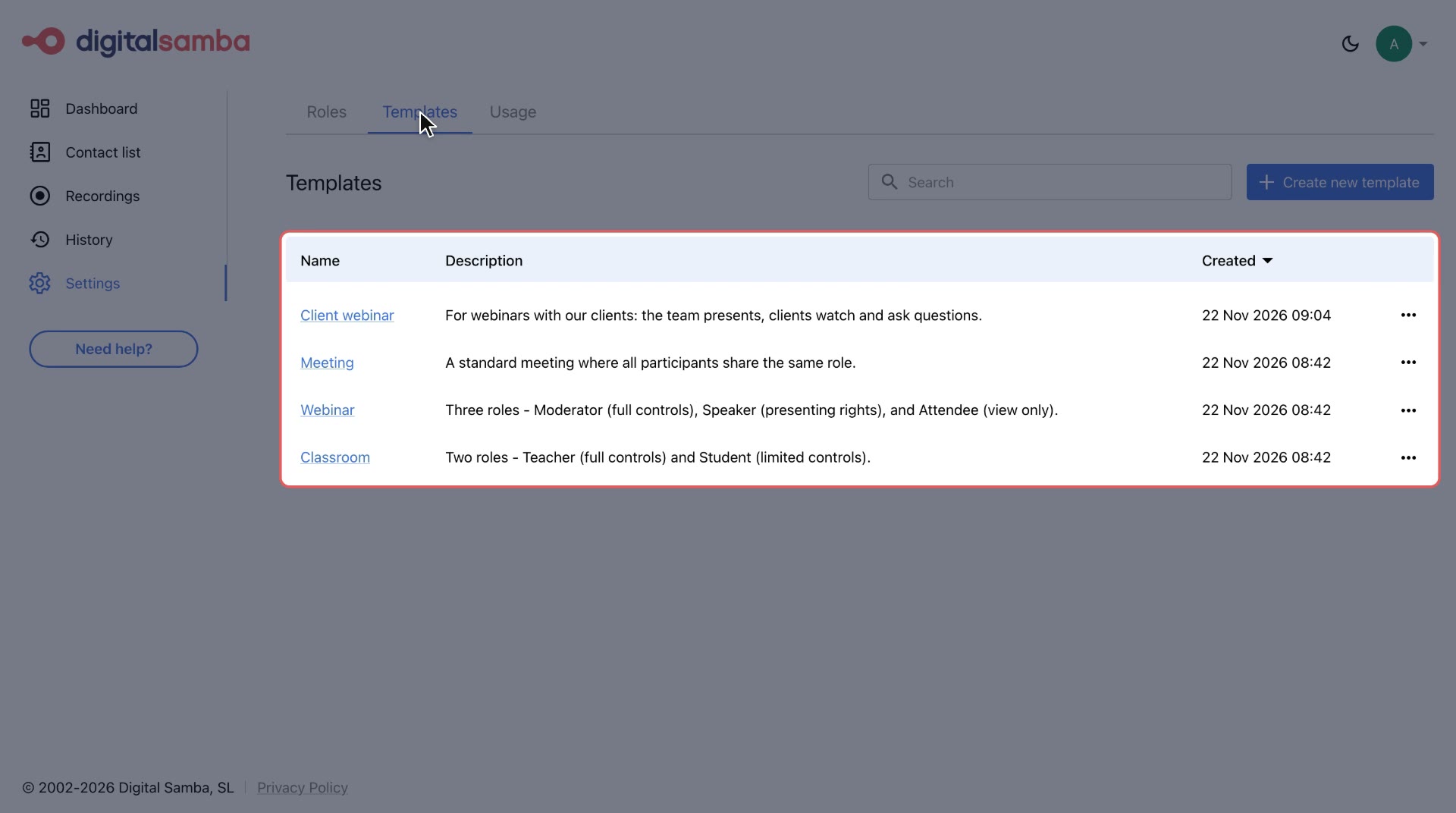
Screenshot from the film at 0:24: Go to Settings, then Templates: the name these pages use for types of call.
Watch this step · 0:20

Click Client webinar, then Components.
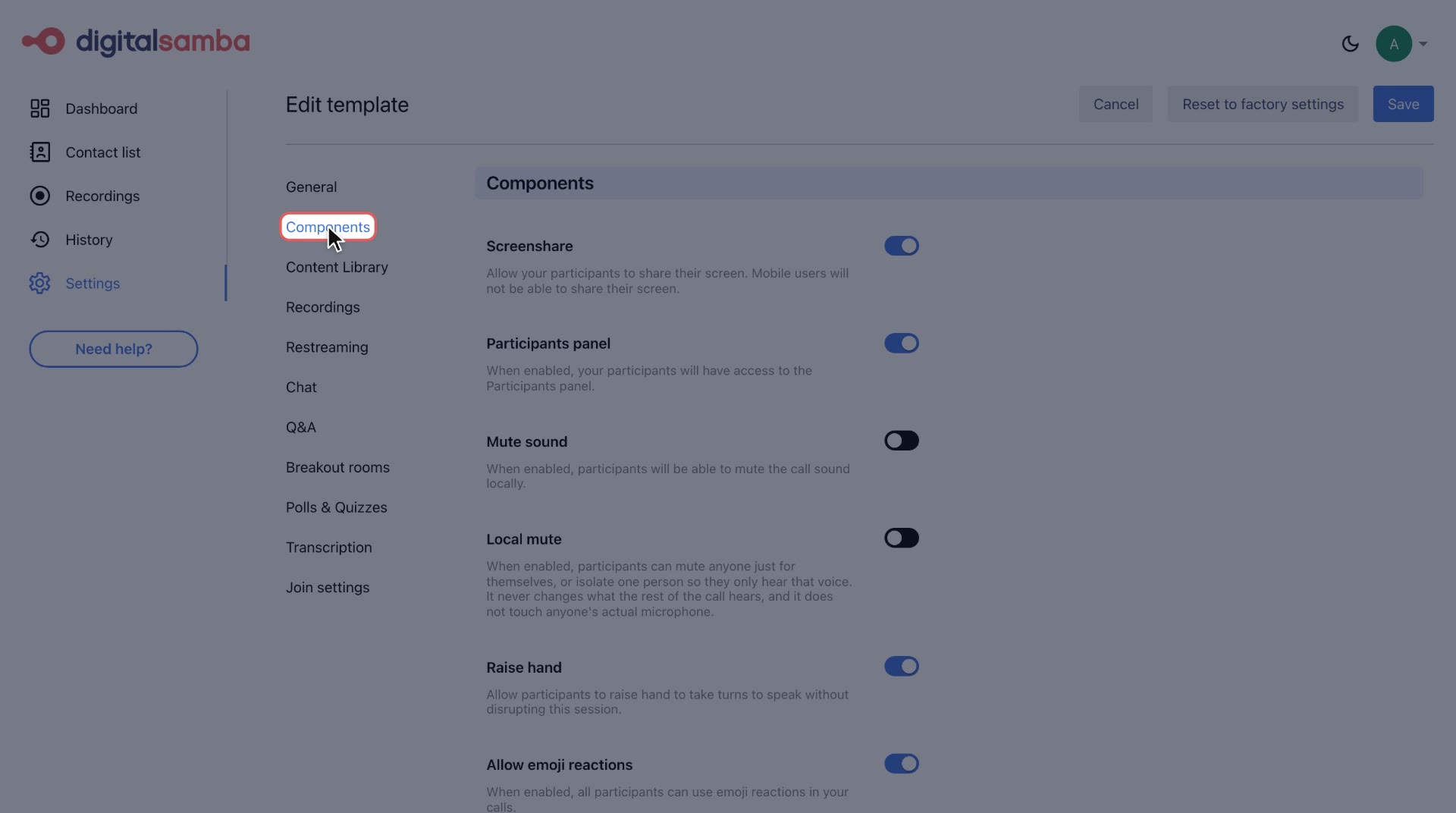
Screenshot from the film at 0:28: Click Client webinar, then Components.
Watch this step · 0:26

Most tools are on from the start, like Screenshare, Raise hand and emoji reactions.
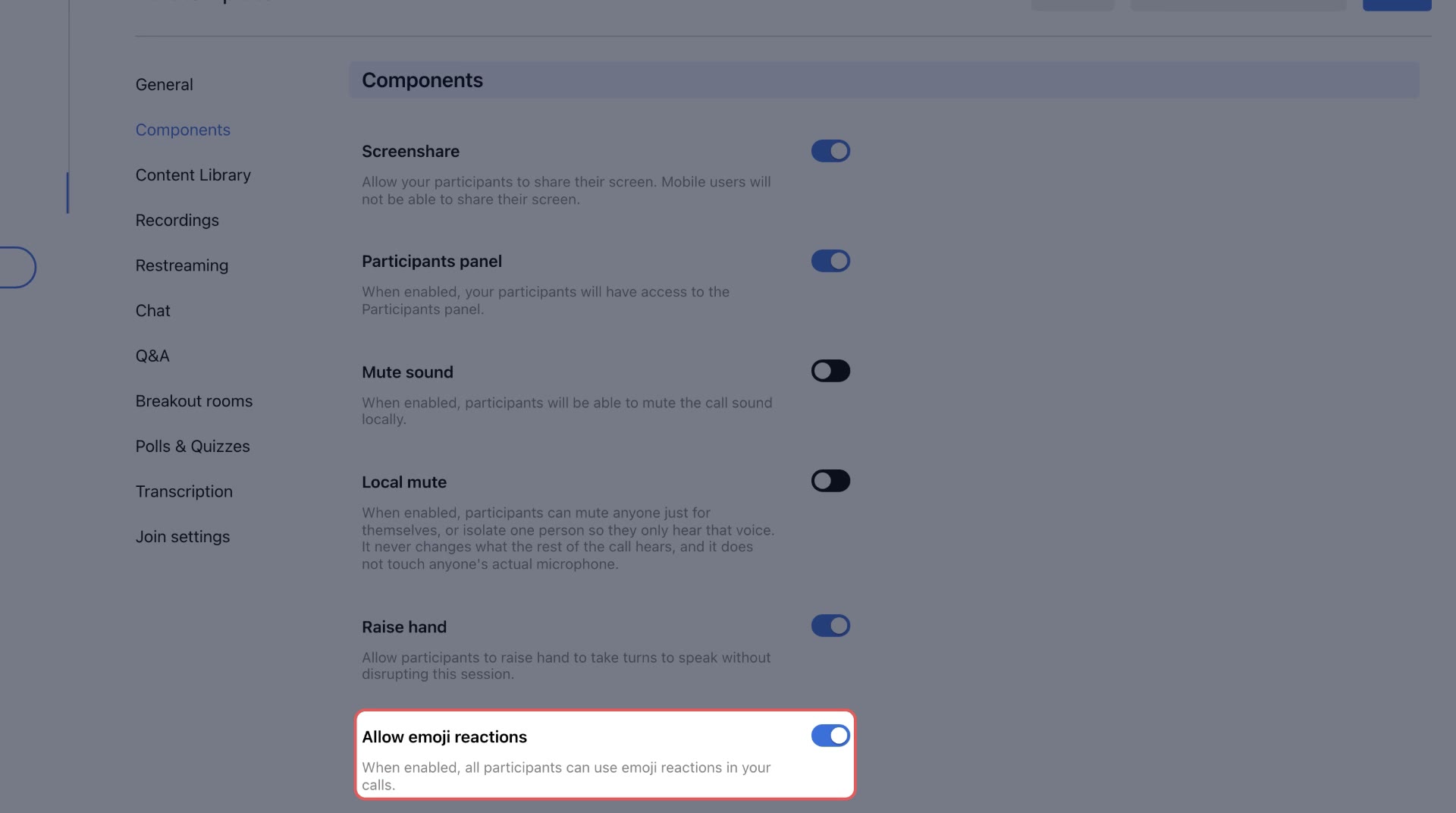
Screenshot from the film at 0:34: Most tools are on from the start, like Screenshare, Raise hand and emoji reactions.
Watch this step · 0:29

One is marked Beta: Virtual backgrounds with the new engine.
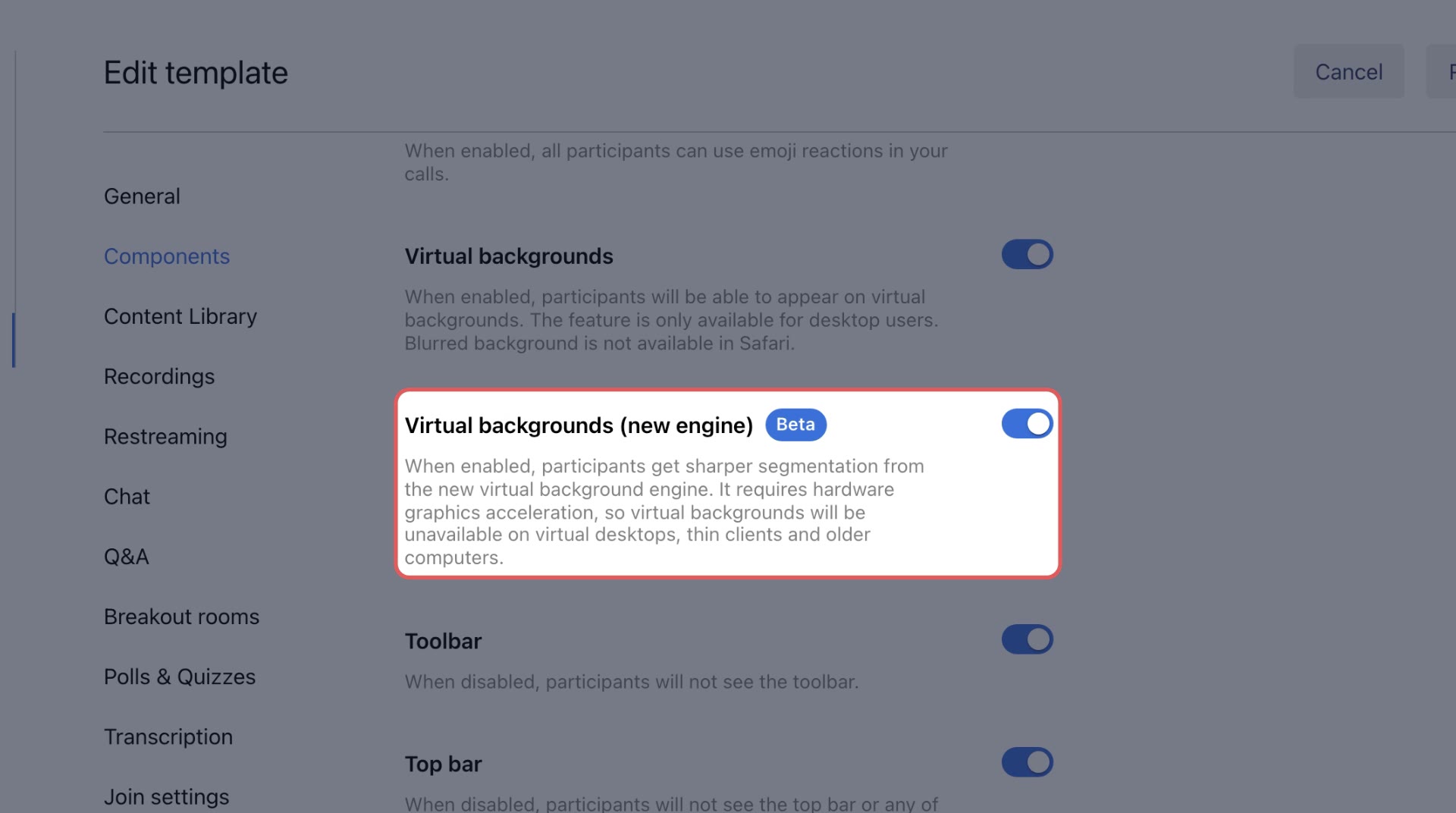
Screenshot from the film at 0:38: One is marked Beta: Virtual backgrounds with the new engine.
Watch this step · 0:36

2Chat0:40

Under Chat, Public chat stays on: messages visible to everyone in the call.
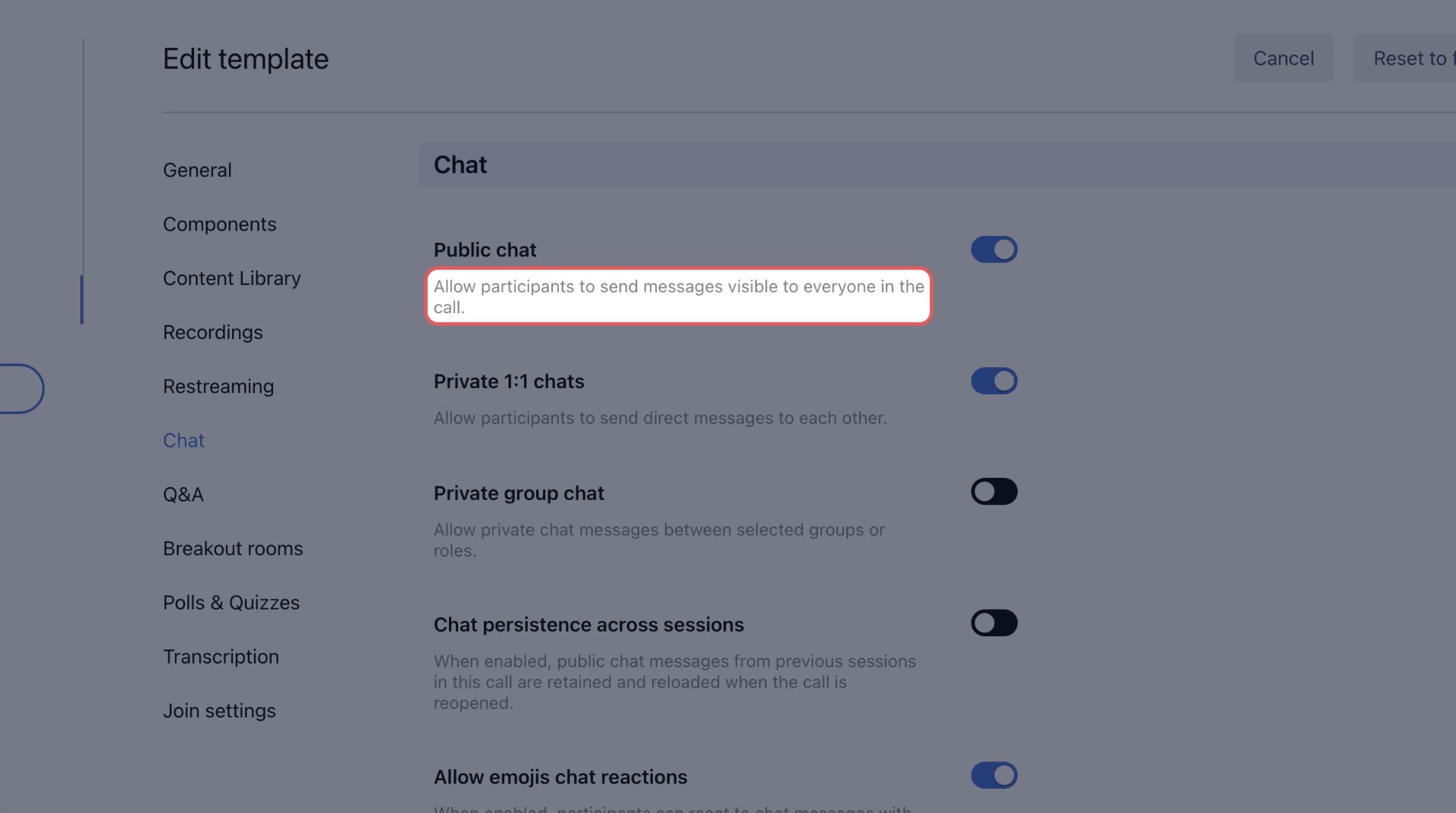
Screenshot from the film at 0:45: Under Chat, Public chat stays on: messages visible to everyone in the call.
Watch this step · 0:41

Ana turns off Private one-to-one chats, the direct messages between participants.
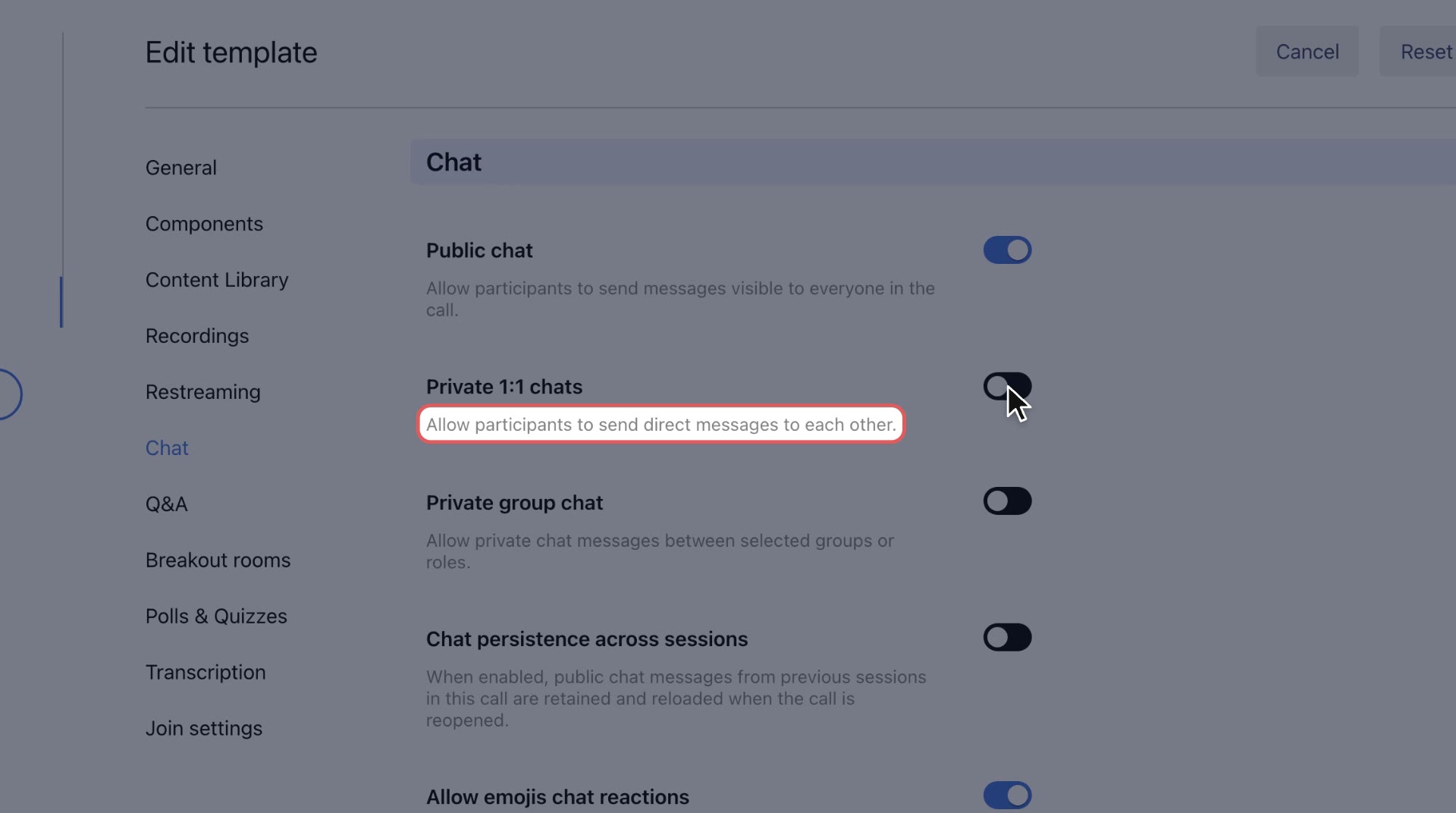
Screenshot from the film at 0:51: Ana turns off Private one-to-one chats, the direct messages between participants.
Watch this step · 0:47

Then she turns on Private group chat, for messages between selected roles.
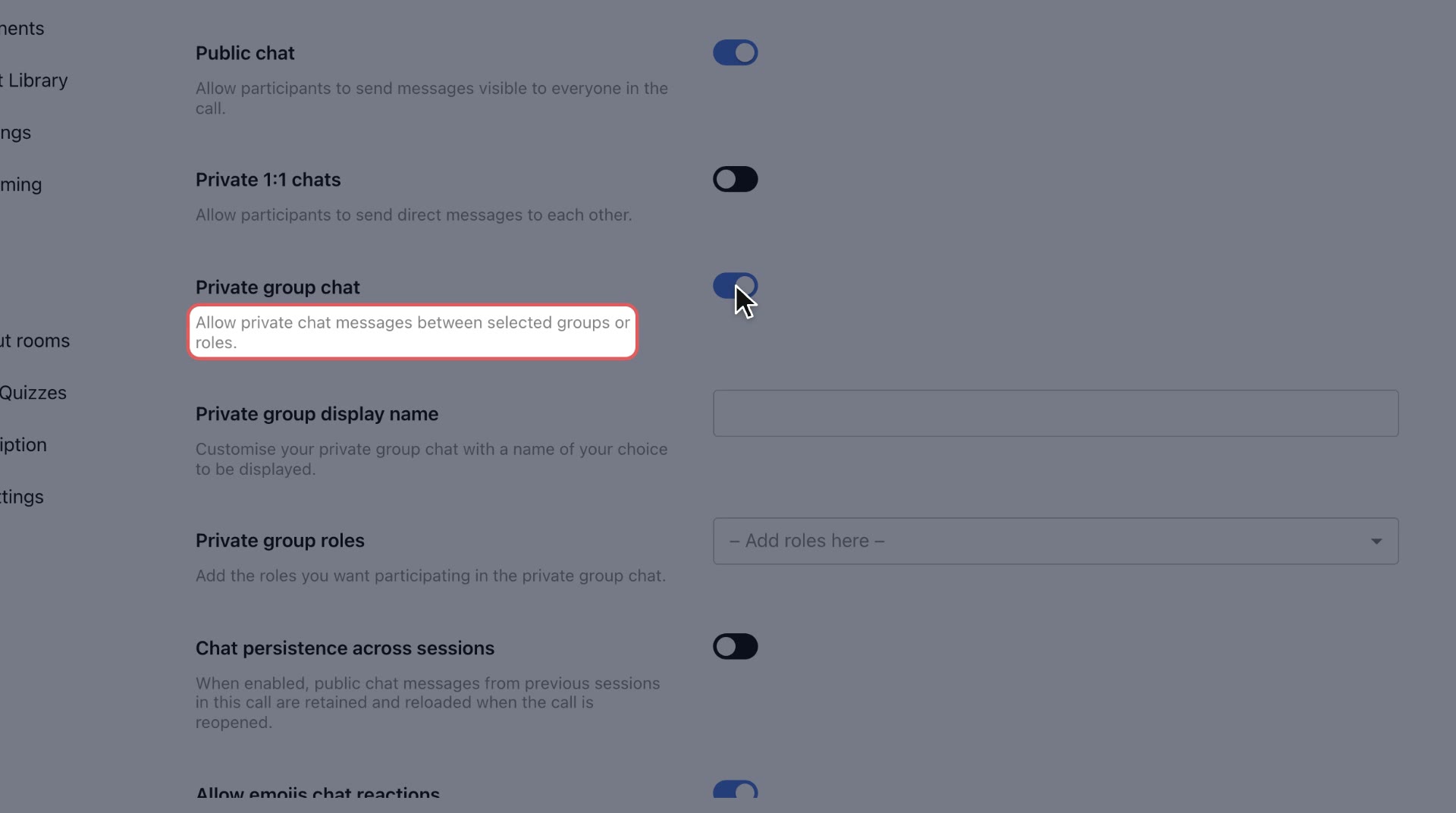
Screenshot from the film at 0:56: Then she turns on Private group chat, for messages between selected roles.
Watch this step · 0:53

Two fields appear, and Save needs both: she names the group Team, and adds Moderators and Speakers.
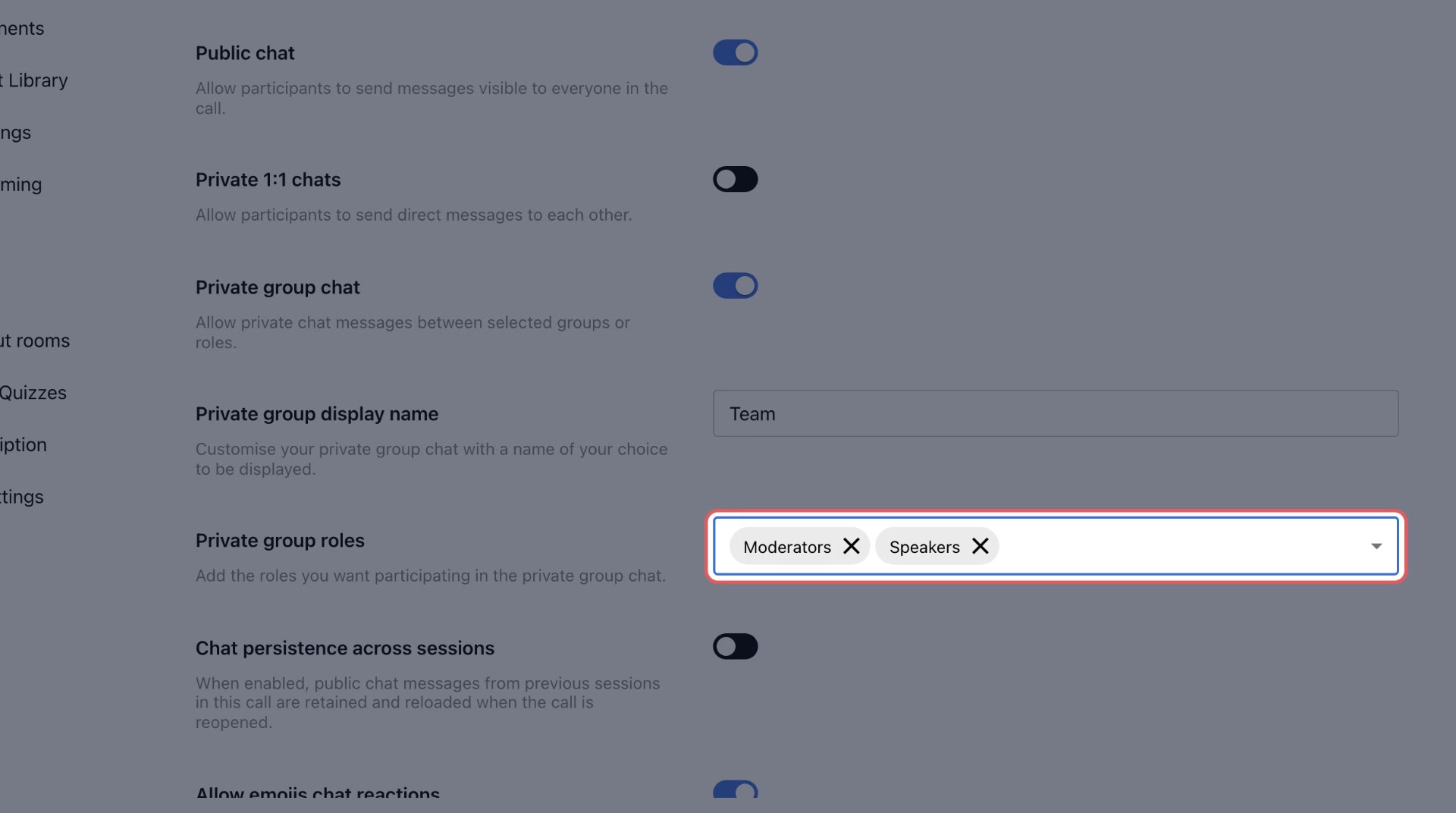
Screenshot from the film at 1:06: Two fields appear, and Save needs both: she names the group Team, and adds Moderators and Speakers.
Watch this step · 0:58

3Q&A and polls1:06

Enable Q&A is on, and so is Upvoting.
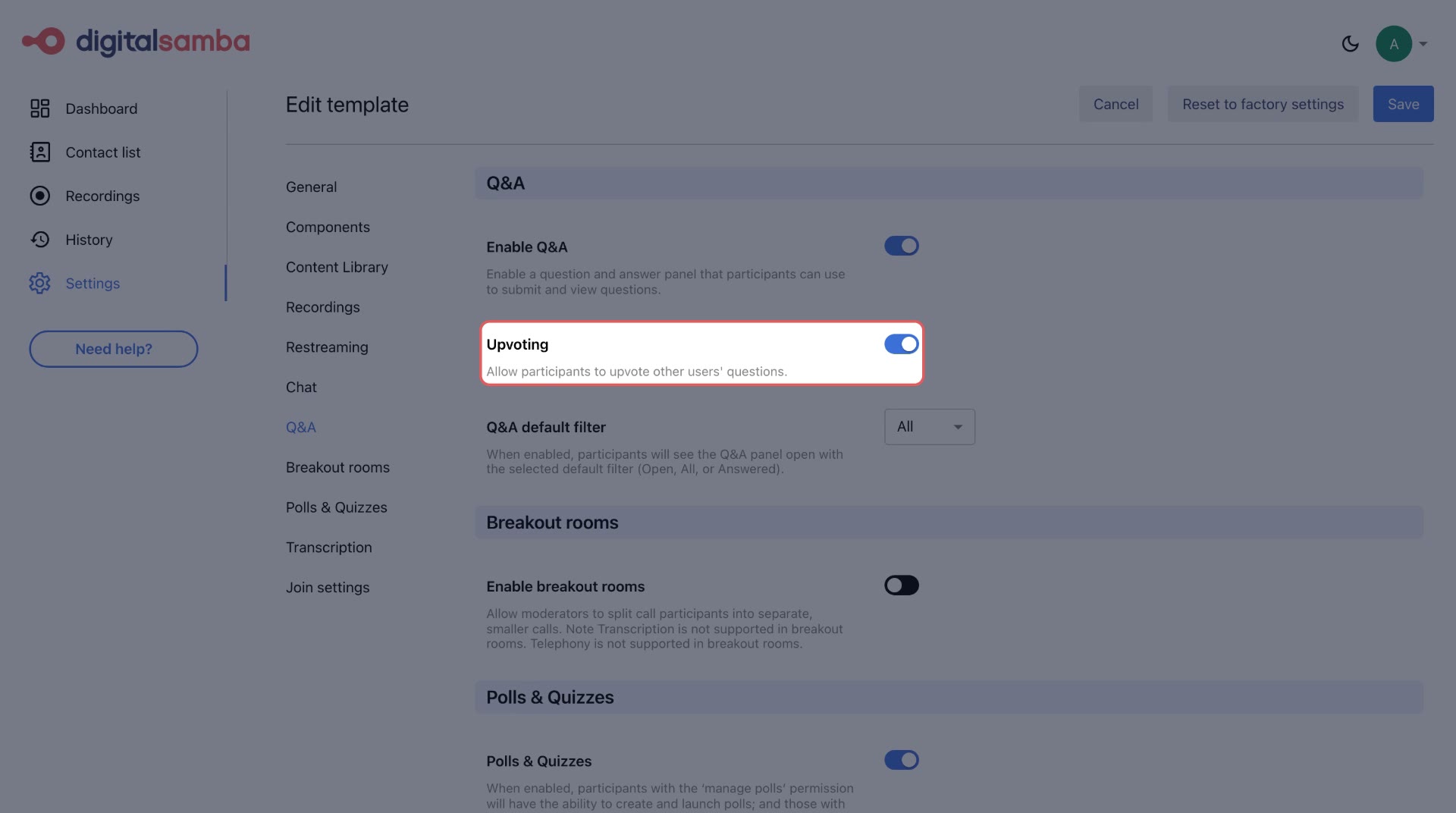
Screenshot from the film at 1:10: Enable Q&A is on, and so is Upvoting.
Watch this step · 1:07

Upvoting makes sense when people can see each other's questions before they're answered, and that is a permission of their role: See all questions, which attendees don't have from the start.

Breakout rooms are off from the start, and Ana leaves them off.
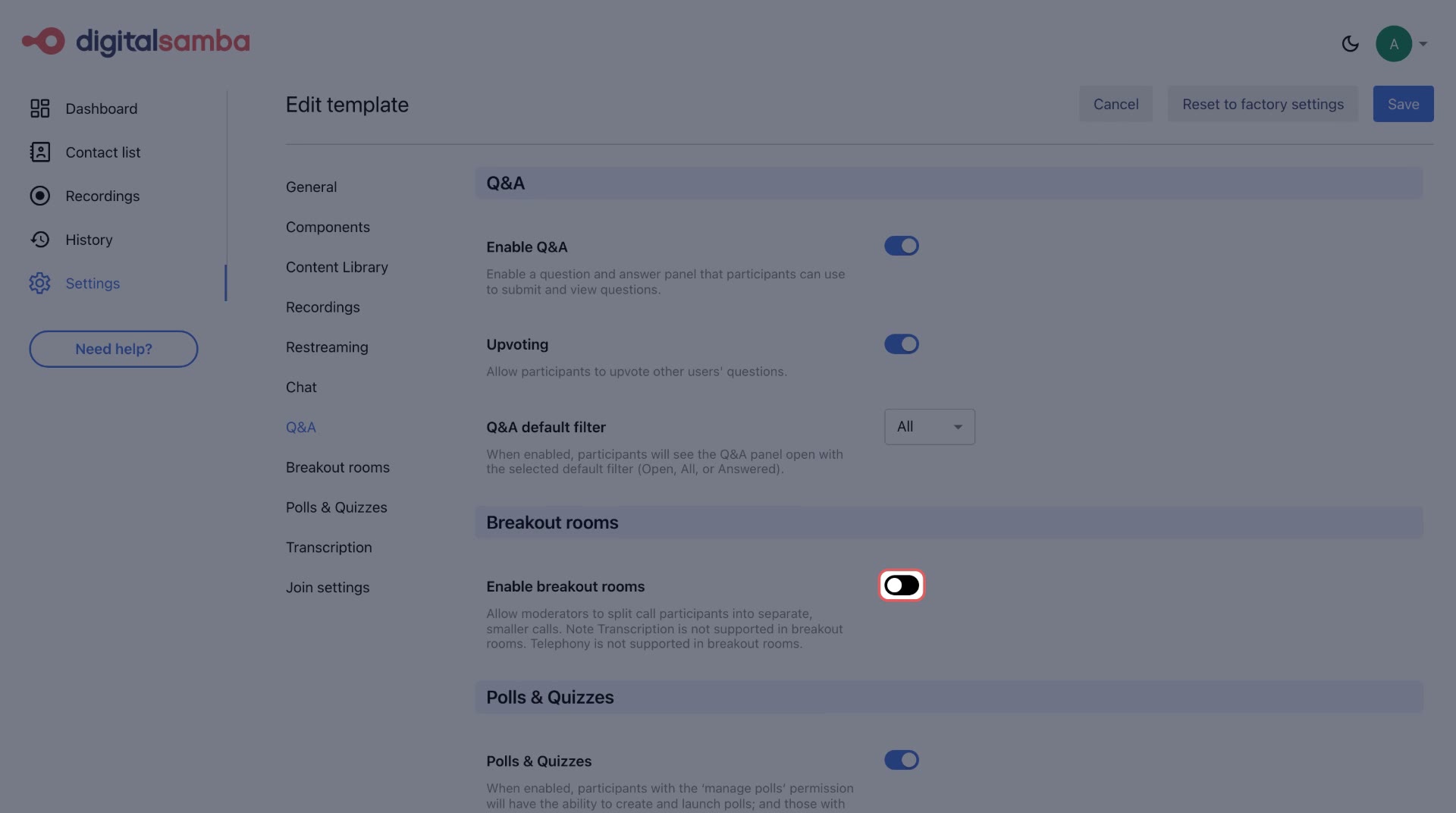
Screenshot from the film at 1:26: Breakout rooms are off from the start, and Ana leaves them off.
Watch this step · 1:22

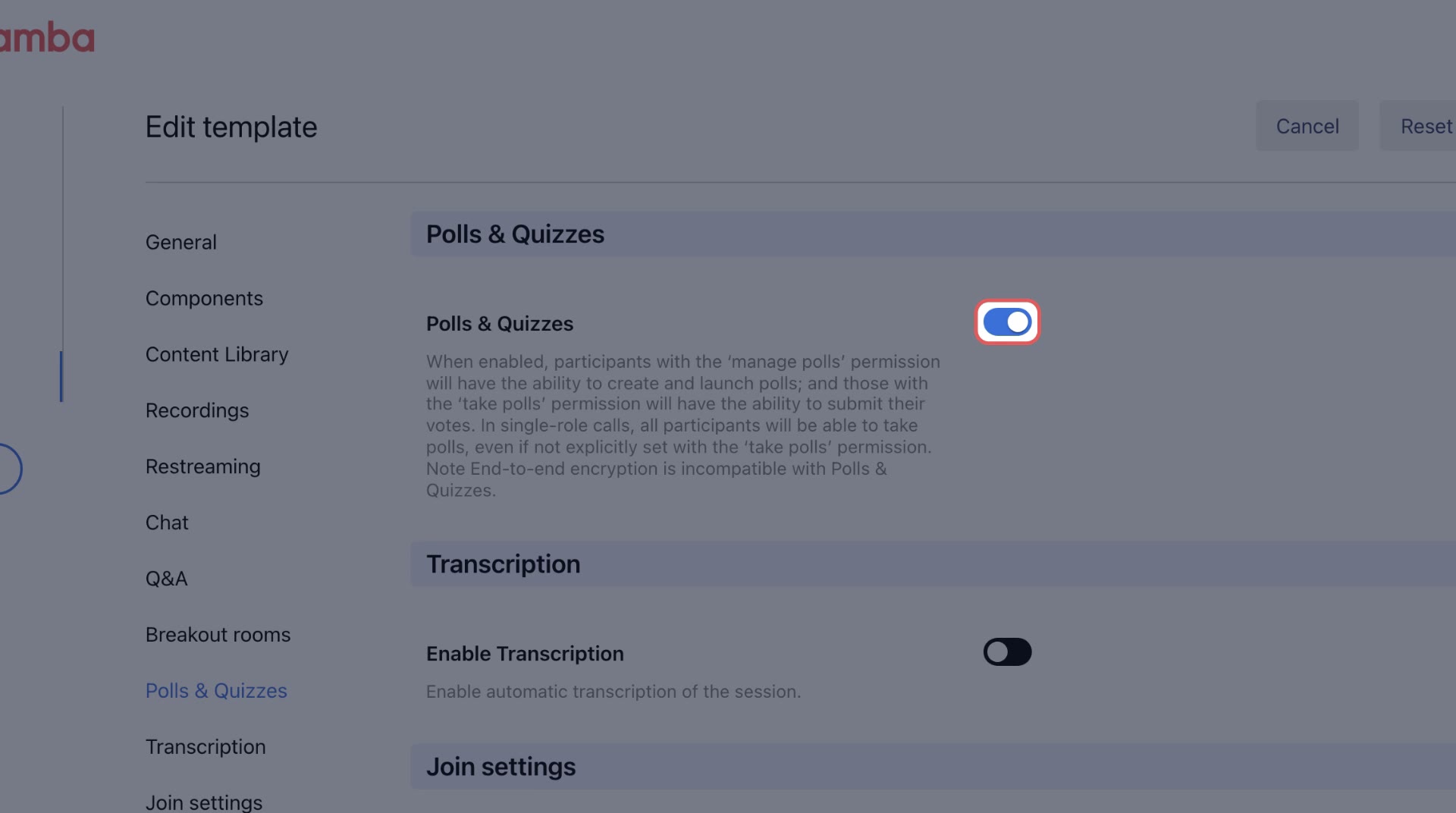
Polls and Quizzes is on.

Screenshot from the film at 1:27: Polls and Quizzes is on.
Watch this step · 1:27

Who can launch a poll and who can vote, the page explains, are permissions: more on those in Roles and permissions.
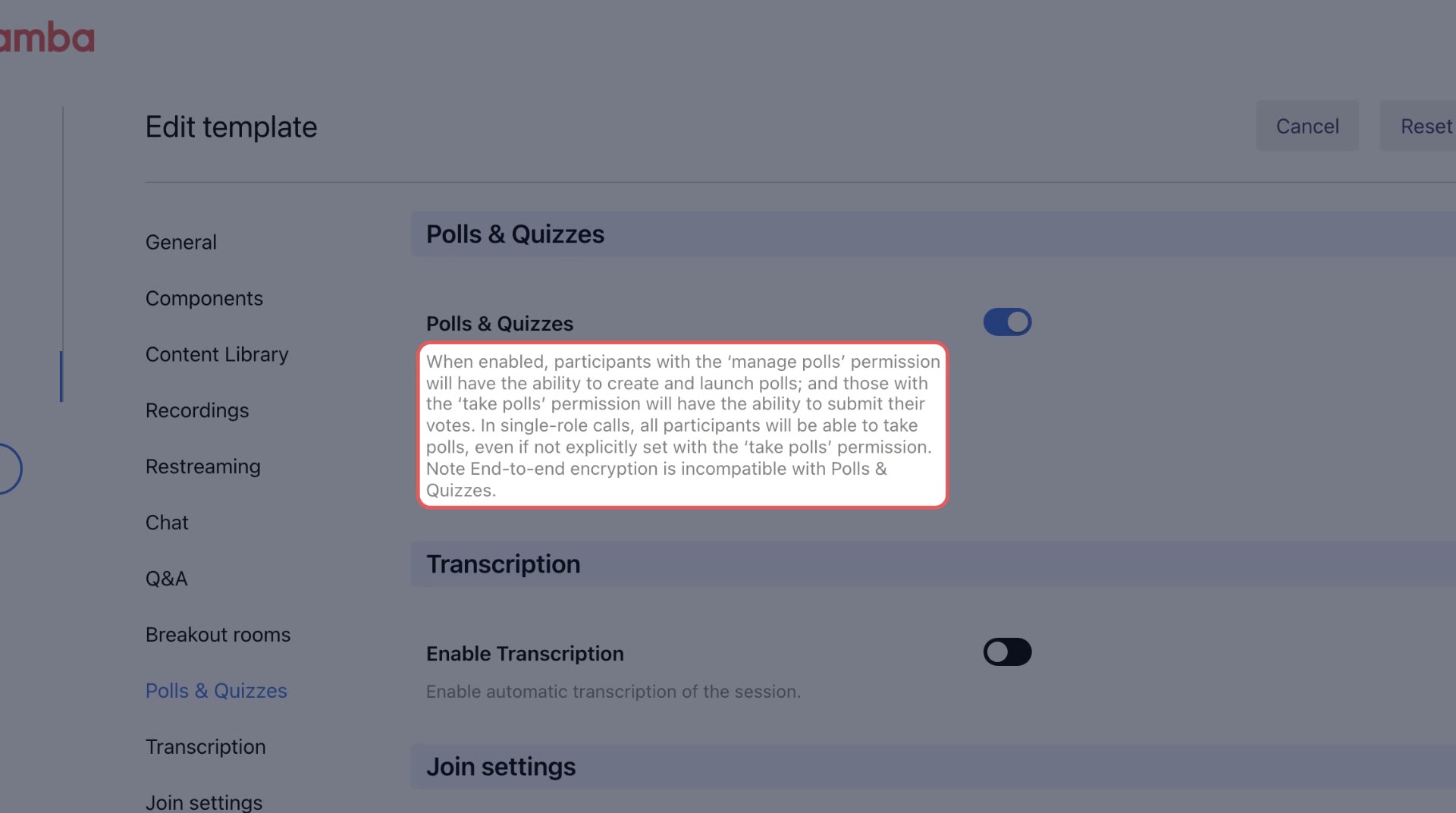
Screenshot from the film at 1:30: Who can launch a poll and who can vote, the page explains, are permissions: more on those in Roles and permissions.
Watch this step · 1:29

4Content Library1:36

Content Library is off from the start: the page says it lets people open and share files inside the call.
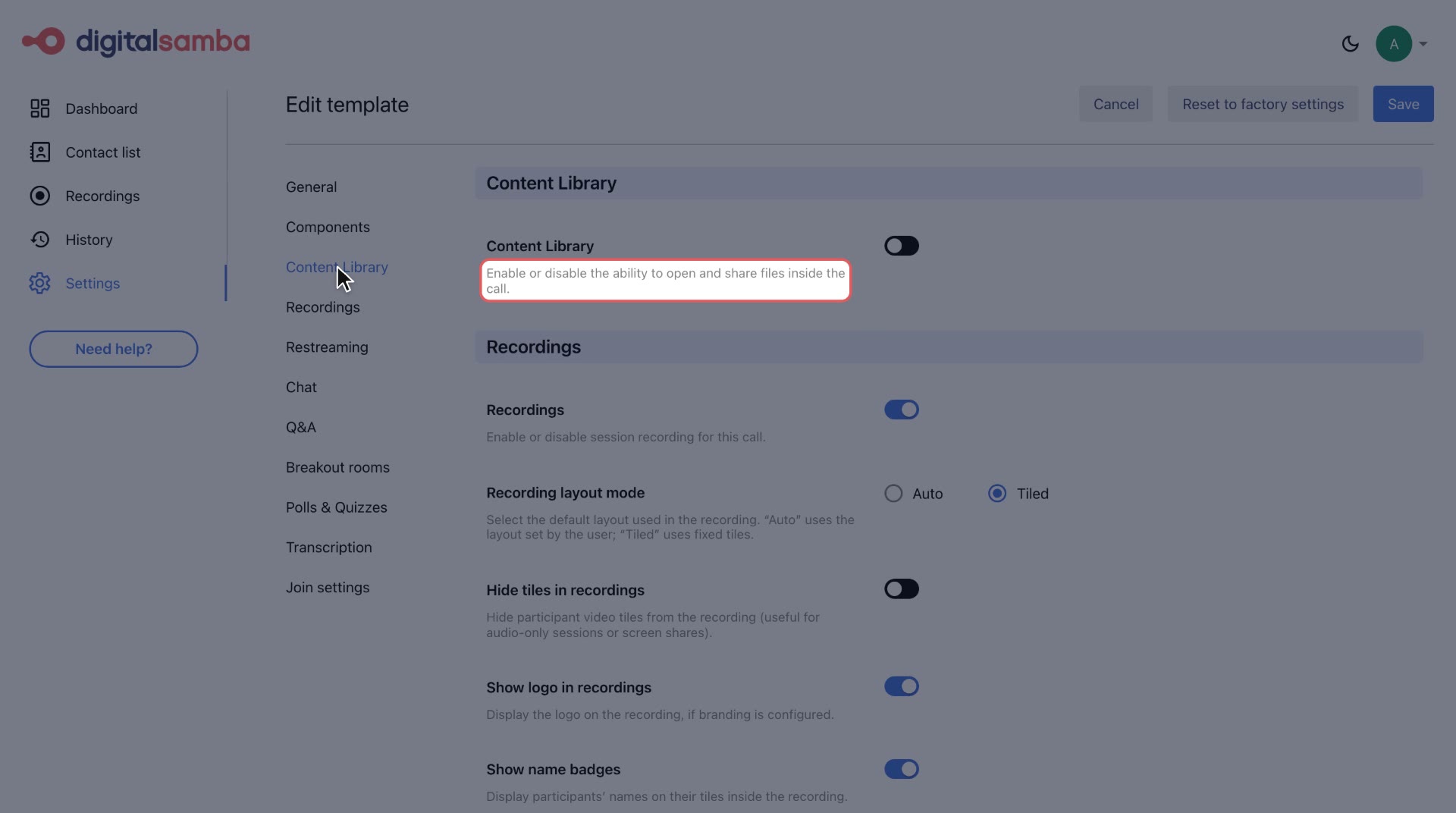
Screenshot from the film at 1:42: Content Library is off from the start: the page says it lets people open and share files inside the call.
Watch this step · 1:37

Ana turns it on, and two settings appear: Default library and Select library.
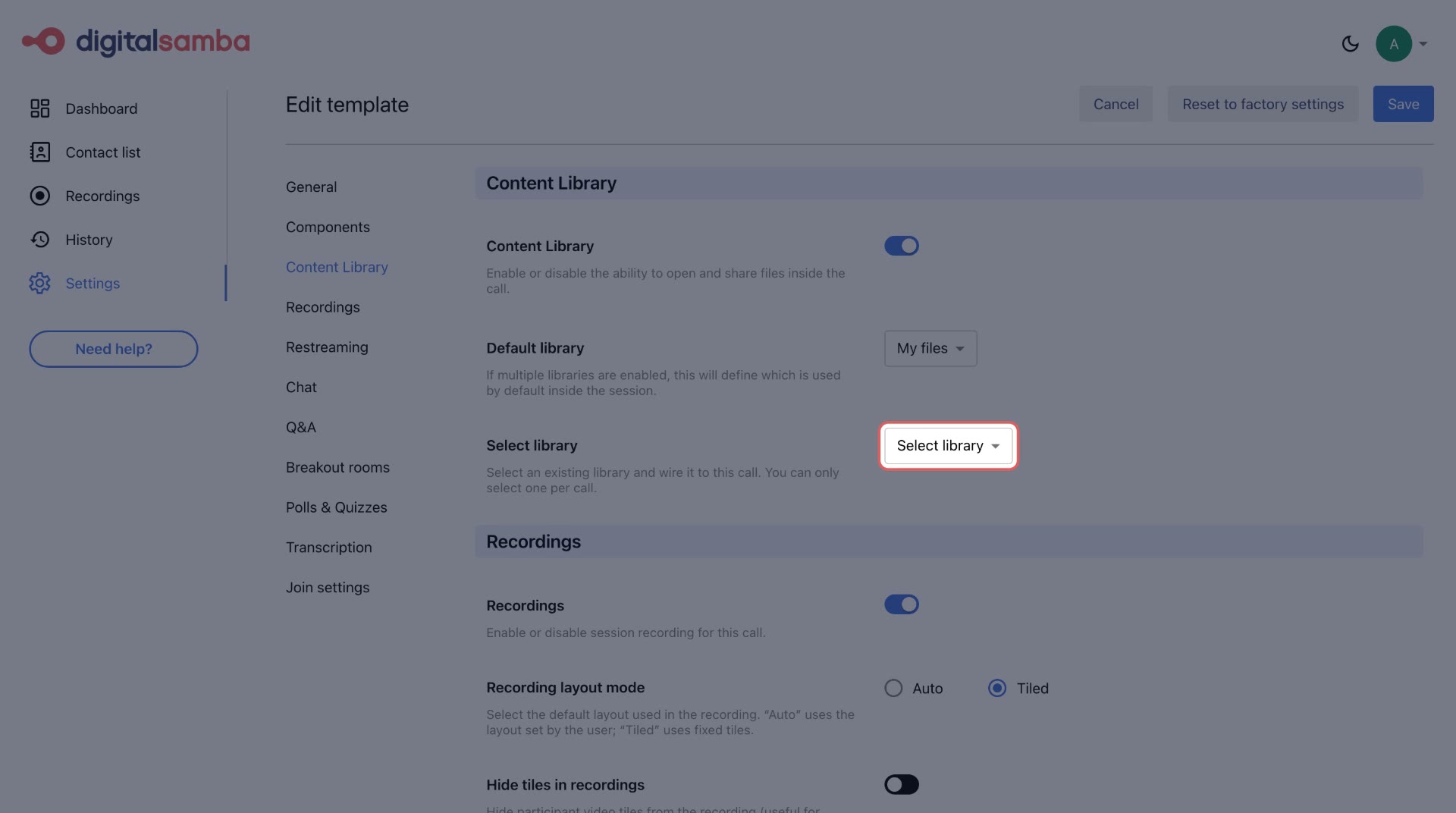
Screenshot from the film at 1:49: Ana turns it on, and two settings appear: Default library and Select library.
Watch this step · 1:45

5Save1:50

Now click Save at the top: your template has been updated successfully.
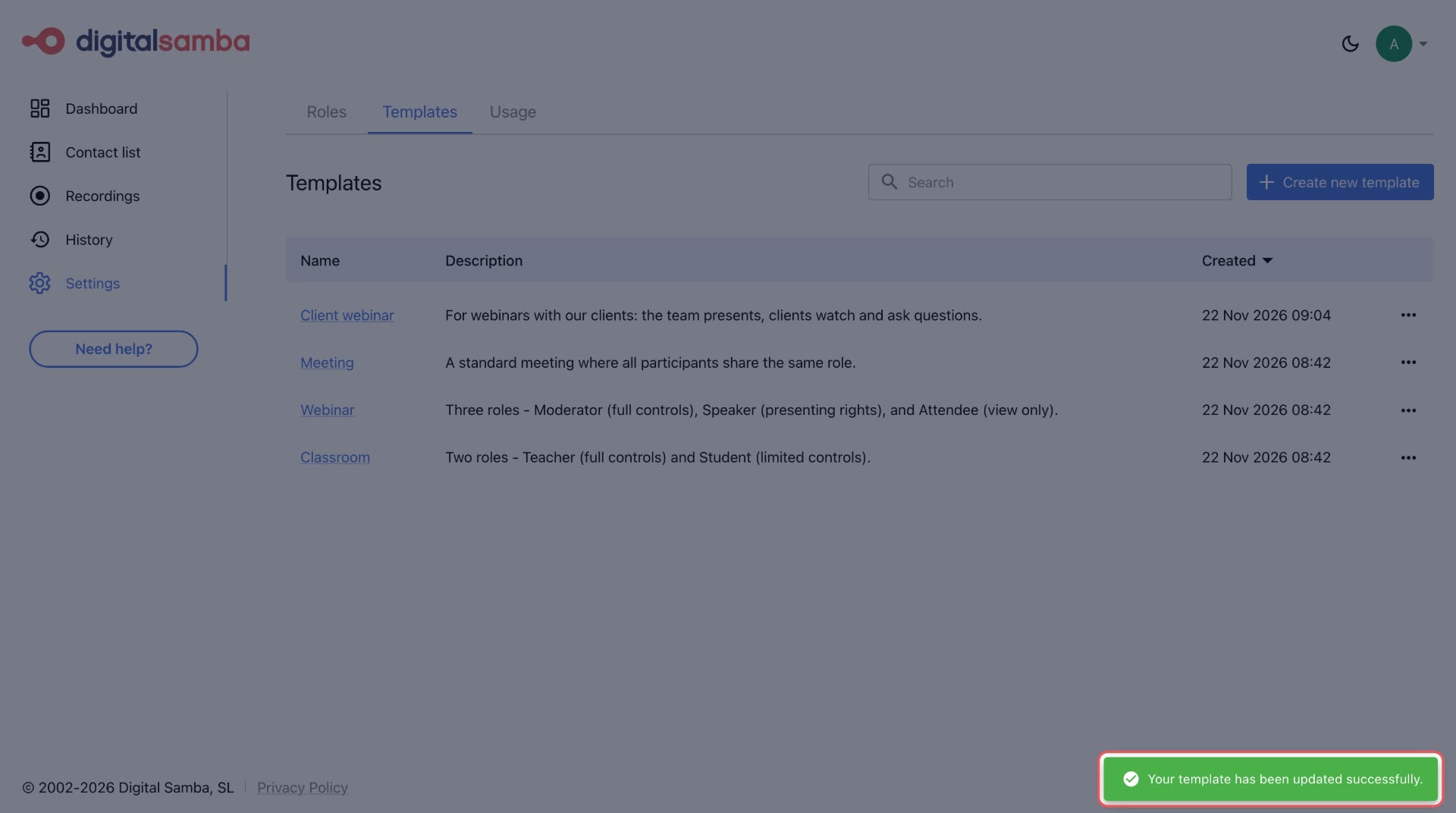
Screenshot from the film at 1:55: Now click Save at the top: your template has been updated successfully.
Watch this step · 1:51

Good to know1:56

If you turn on End-to-end encryption, under General, Shared notes, Q&A and Polls are switched off and greyed out.
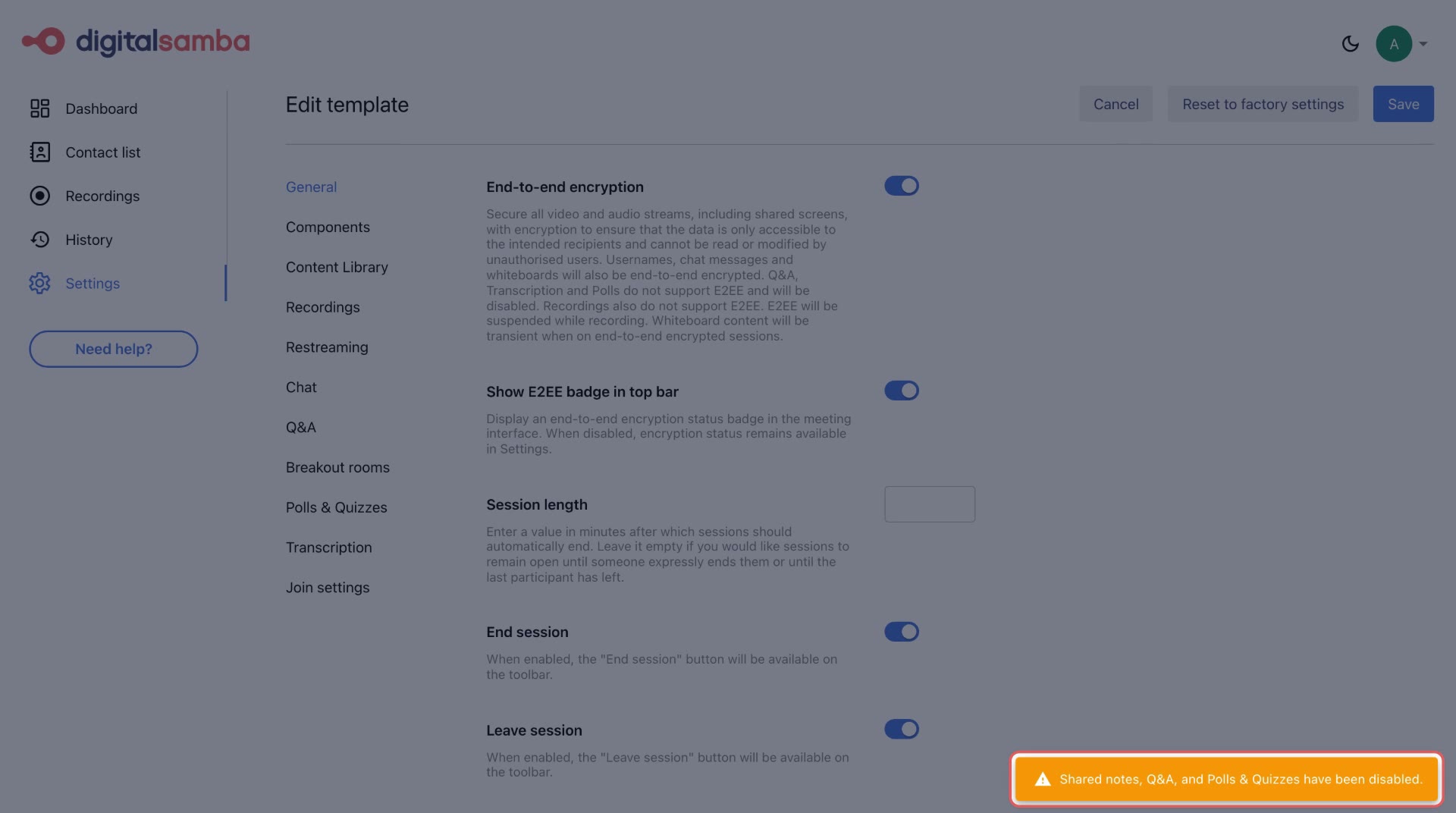
Screenshot from the film at 2:02: Good to know: if you turn on End-to-end encryption, under General, Shared notes, Q&A and Polls are switched off and greyed out.
Watch this step · 1:57

The page says why: Disabled, because end-to-end encryption is enabled.
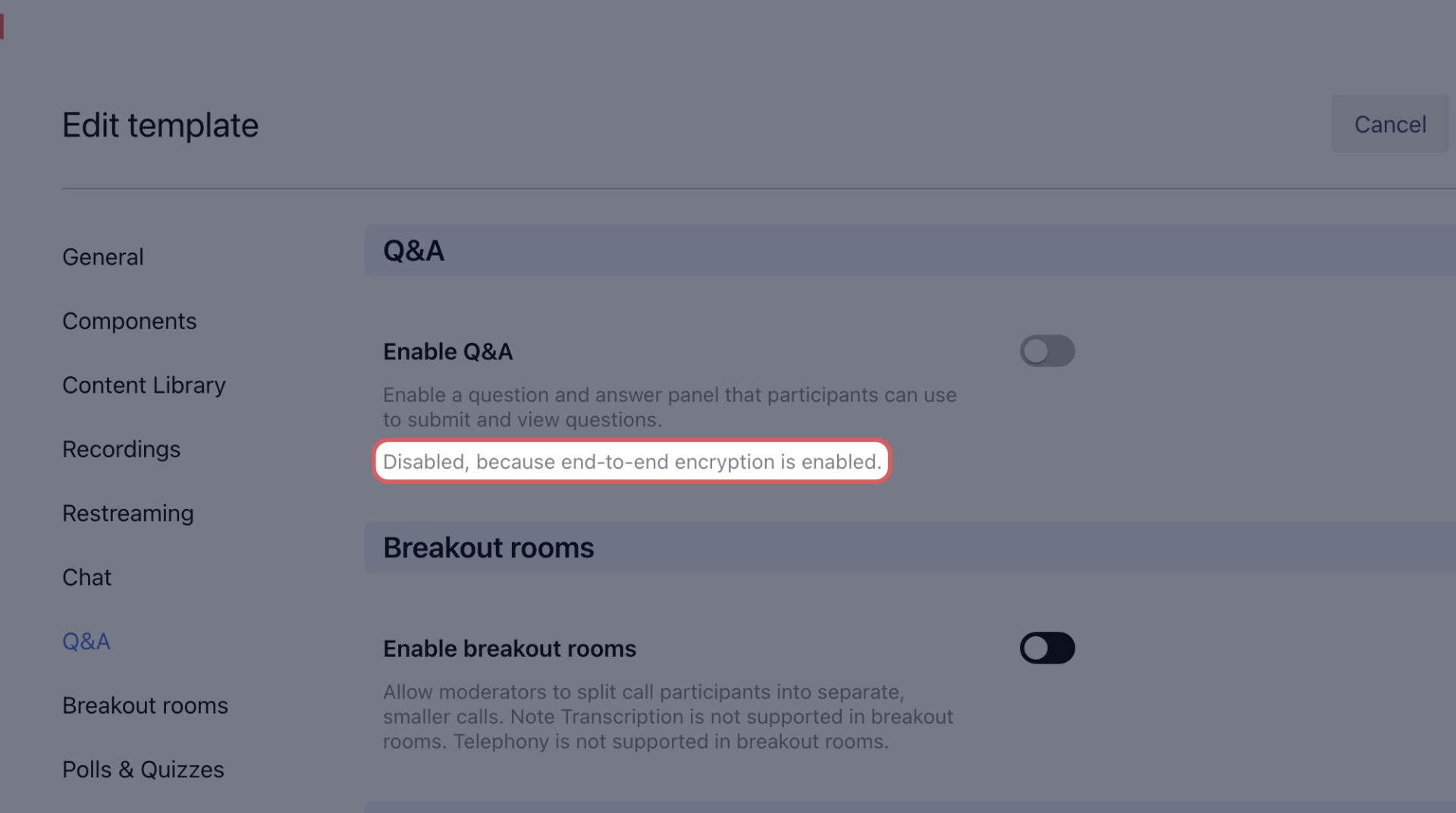
Screenshot from the film at 2:09: The page says why: Disabled, because end-to-end encryption is enabled.
Watch this step · 2:07

And a change reaches only calls you schedule afterwards.
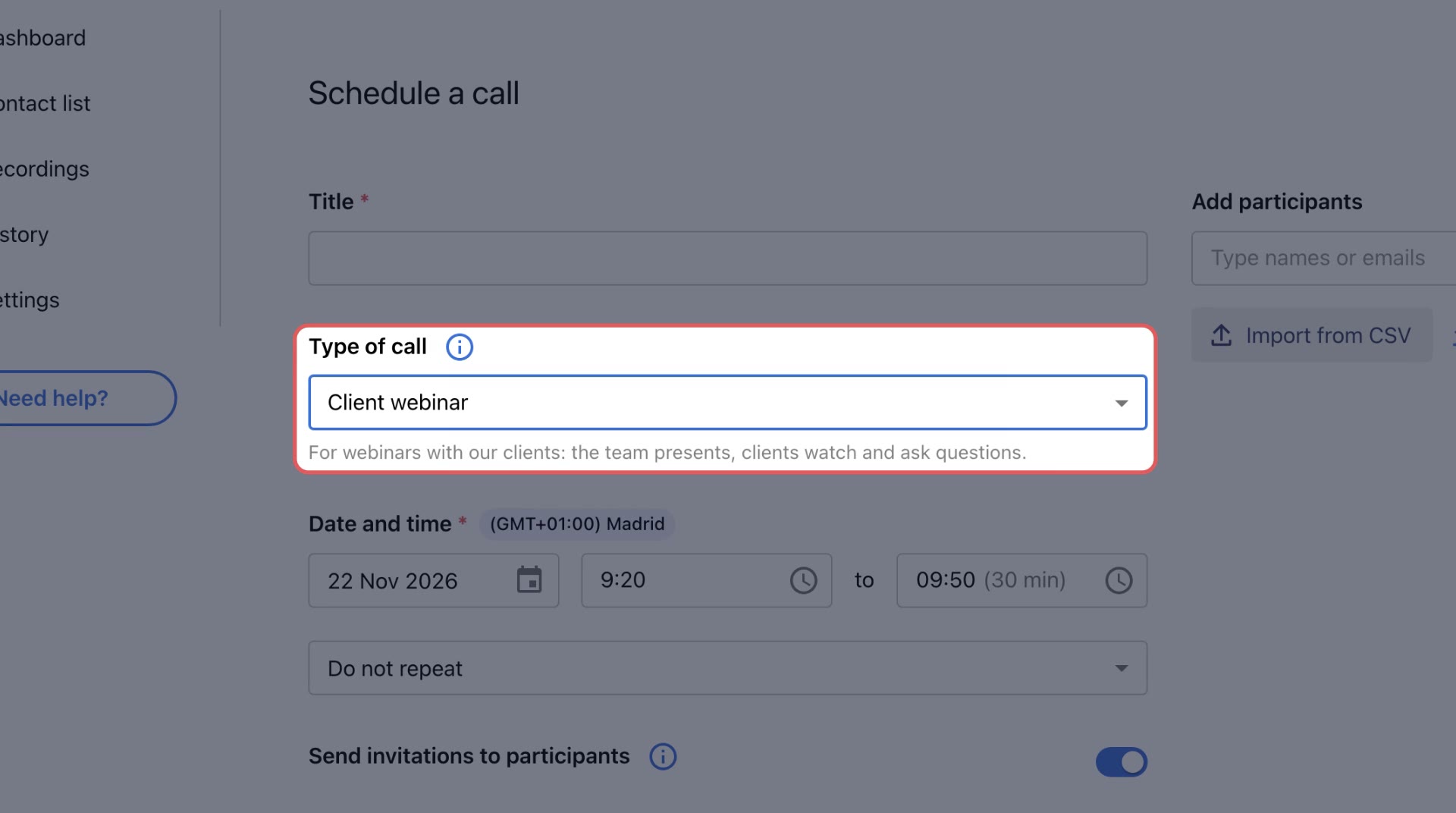
Screenshot from the film at 2:13: And a change reaches only calls you schedule afterwards.
Watch this step · 2:12

Recap2:16

So: Settings, Templates, your type of call; choose the tools in Components, Chat, Q&A, Polls and Content Library, and click Save.
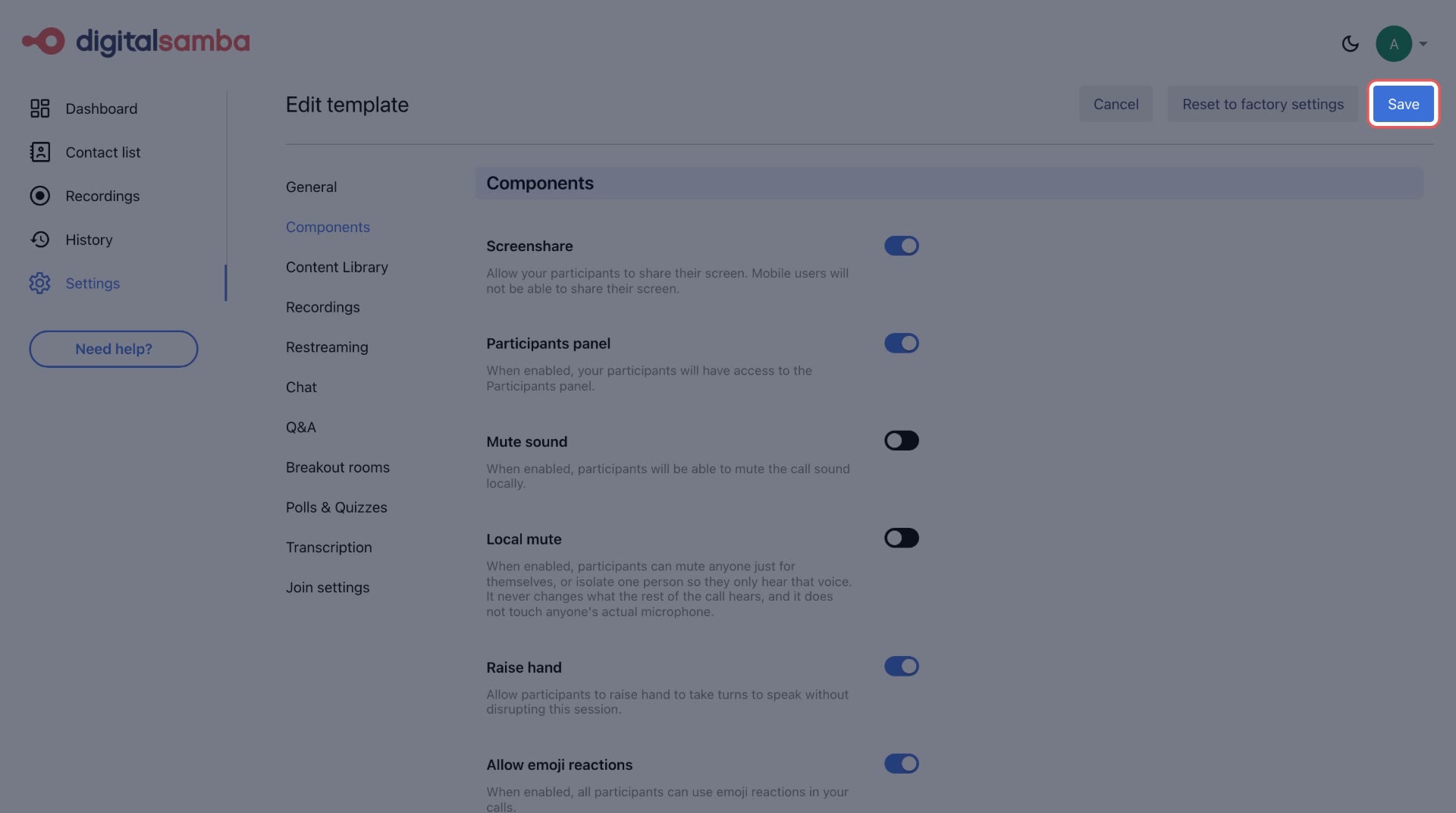
Screenshot from the film at 2:27: So: Settings, Templates, your type of call; choose the tools in Components, Chat, Q&A, Polls and Content Library, and click Save.
Watch this step · 2:17

In this video

Next

Related

Updated

The film, the article, the captions and the search results all come from one source, so they change together.

  1. Version 2 ·
    The Q&A passage now says when upvoting is useful: when people can see each other's questions before they are answered. That is a permission of their role, See all questions, which attendees don't have from the start.
  2. Version 1 ·
    First version.

All updates