Skip to content
University
Videos
Topics
Updates
Search the videos
Topics
Import contacts from a CSV file
All 9 moments in Digital Samba University that depend on this.
Add, import and export contacts
Contacts · 2:07
0:01
Introduction
In this video, you'll add contacts one at a time, import a whole list from a spreadsheet, and export your list again.
Read
0:43
Import
The other clients are in a spreadsheet.
Read
0:46
Import
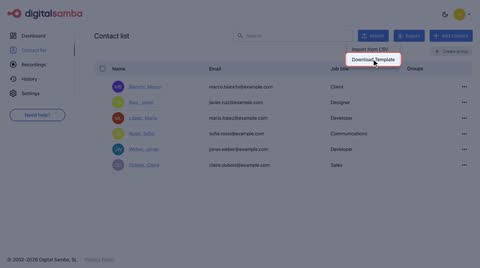
Click Import, then Download Template.
Read
0:49
Import
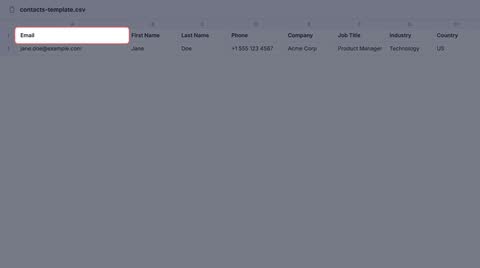
You get a CSV file with a column for each detail; only Email must be filled in.
Read
0:55
Import
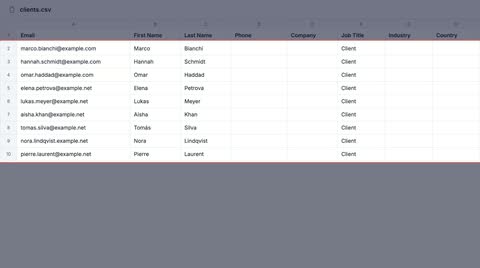
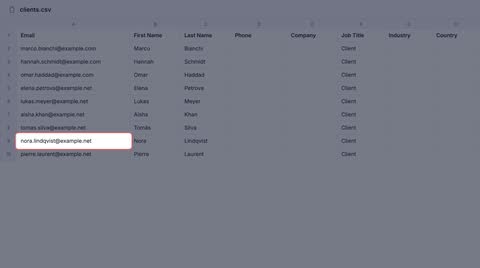
Ana puts one client on each row and saves the file as CSV.
Read
1:00
Import
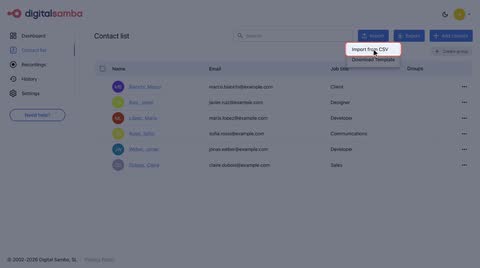
Then click Import, choose Import from CSV, and pick the file.
Read
1:05
Import
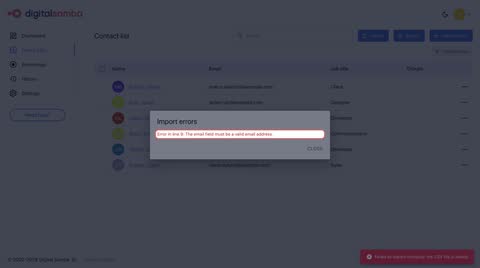
One address has a mistake, so nothing is imported: the message says which line to fix.
Read
1:12
Import
Ana corrects line nine and imports the file again.
Read
1:15
Import
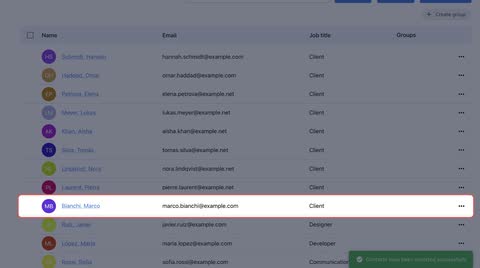
All the clients are in, and Marco, who was already a contact, isn't added twice.
Read
All topics