Skip to content
University
Videos
Topics
Updates
Search the videos
Topics
Your own type of call (template)
All 13 moments in Digital Samba University that depend on this.
Turn on recording and transcription
After the call · 2:44
0:12
Your type of call
Our example: Ana wants the Product launch webinar recorded and transcribed.
Read
0:18
Your type of call
So before she schedules it, she sets this up in her own type of call, Client webinar.
Read
Types of call: Meeting, Webinar and Classroom
Customise your calls · 2:42
0:01
Introduction
In this video, you'll get to know the types of call — Meeting, Webinar and Classroom — and make one of your own.
Read
0:11
Type of call
Our example: Ana makes her own type of call, for webinars with her clients.
Read
1:04
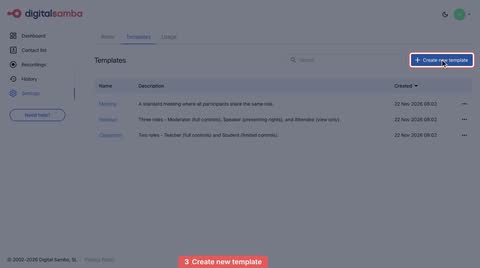
Create new template
To make your own, click Create new template.
Read
1:08
Create new template
Ana names it Client webinar and adds a description.
Read
1:12
Create new template
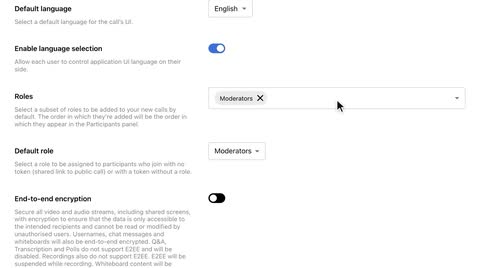
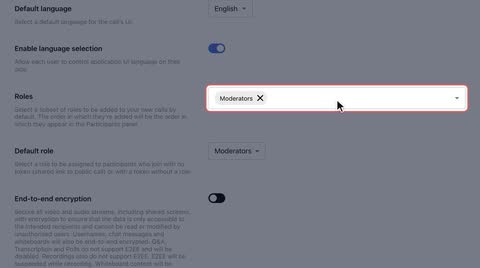
A new type starts with one role, Moderators; she adds Speakers and Attendees.
Read
1:22
Create new template
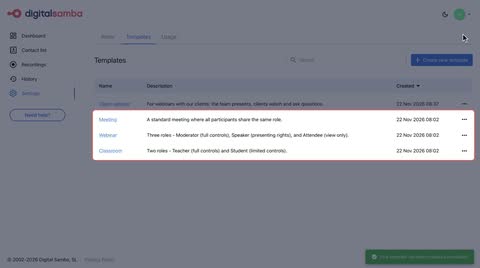
Click Save: Client webinar now sits beside the three built-in types.
Read
2:00
Change and reset
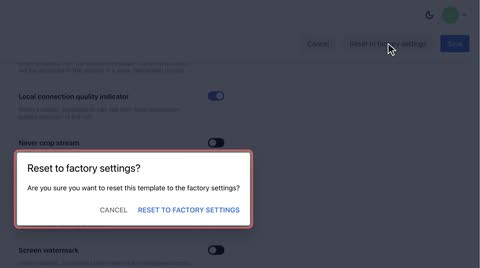
On your own type, it also leaves just one role, Moderators, so Ana clicks Cancel, then Save.
Read
2:08
Good to know
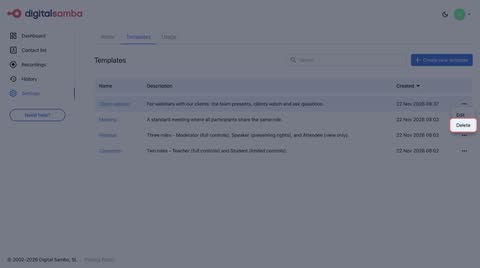
Good to know: built-in types can't be deleted; your own can, once no call uses it.
Read
2:27
Recap
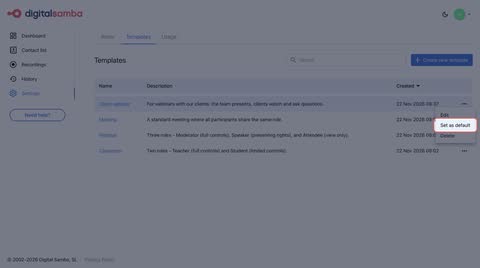
So: pick a type when you schedule, manage types in Settings under Templates, and make your own and set it as default.
Read
Control how people join: lobby, consent and devices
Customise your calls · 2:28
0:14
Join settings
Our example: Ana runs webinars for clients, in her own type of call, Client webinar.
Read
Choose the tools in your calls
Customise your calls · 2:35
0:13
Components
Our example: Ana runs webinars for clients, in her own type of call, Client webinar.
Read
All topics