University

Get notified with webhooks

In this video, you'll set up a webhook, so your own software hears about calls the moment they're scheduled, changed or cancelled, and you'll check that each delivery really comes from Digital Samba.

Updated Version 1

1Add endpoint0:14

Our example: the team's own planning board should hear about every call on Ana's account.

Open Settings, then the Developer tab, and scroll down to Webhooks.
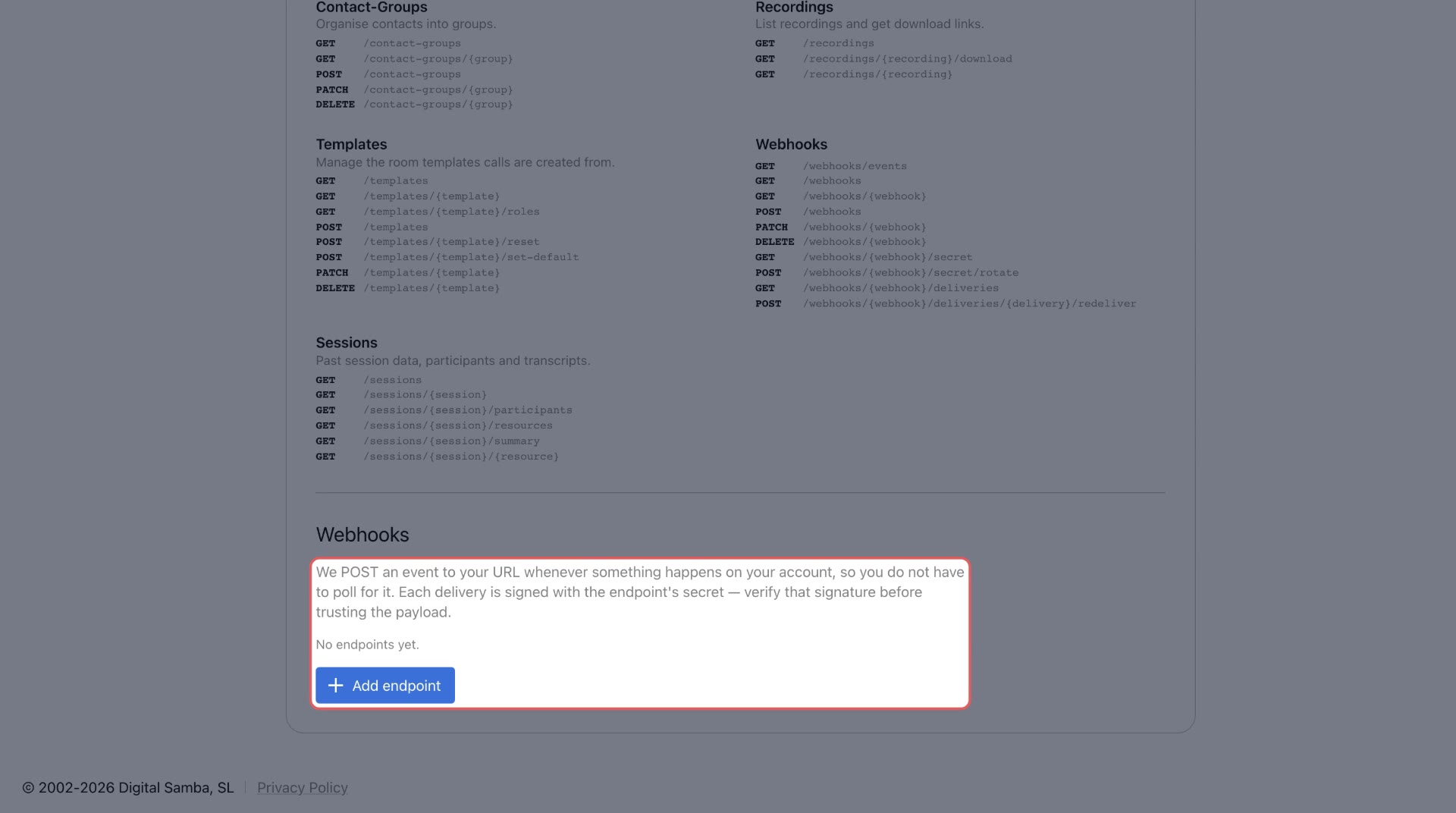
Screenshot from the film at 0:26: Open Settings, then the Developer tab, and scroll down to Webhooks.
Watch this step · 0:22

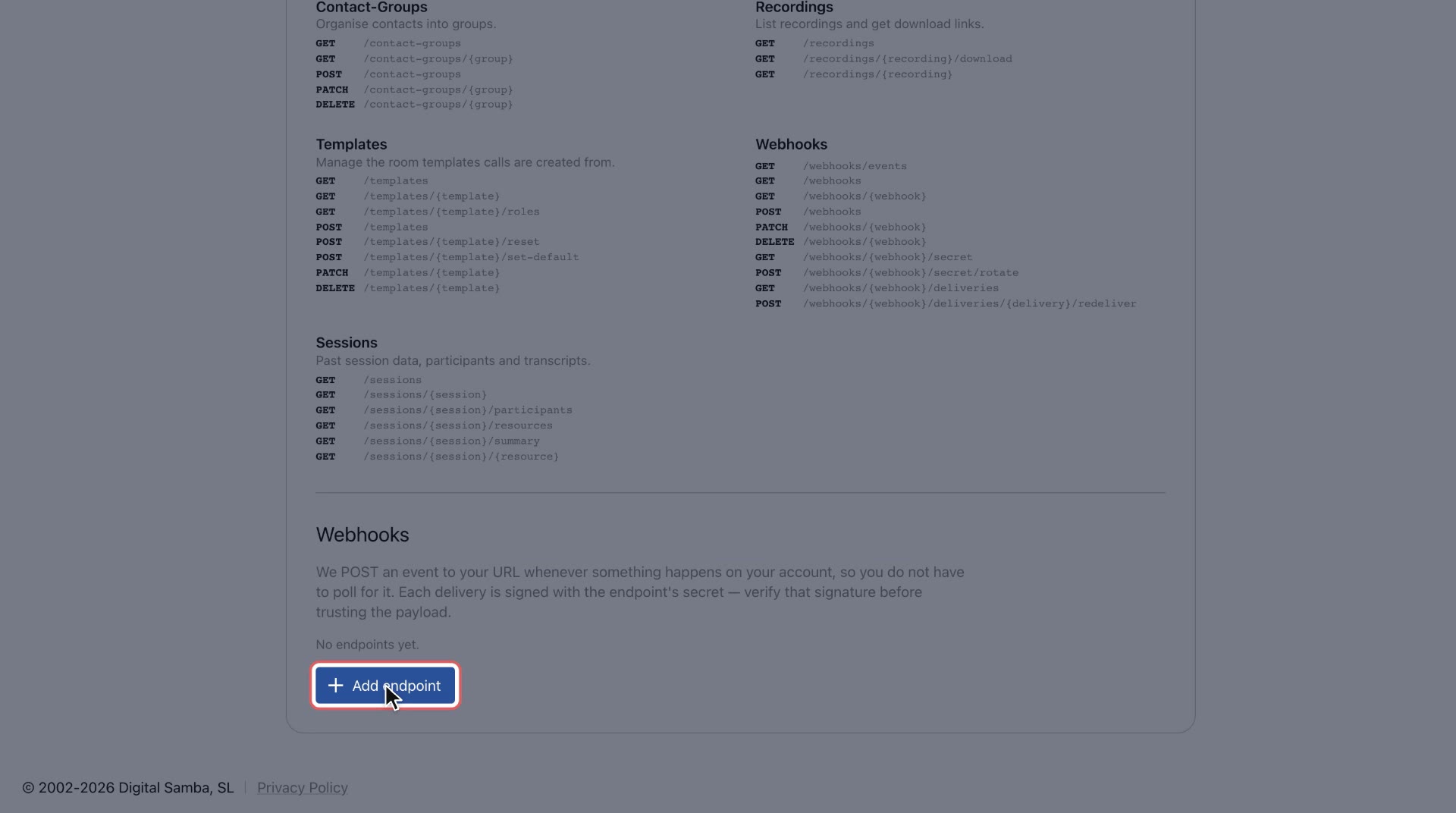
Click Add endpoint.

Screenshot from the film at 0:28: Click Add endpoint.
Watch this step · 0:27

Under Endpoint URL, give the address that receives the events; it must start with https.
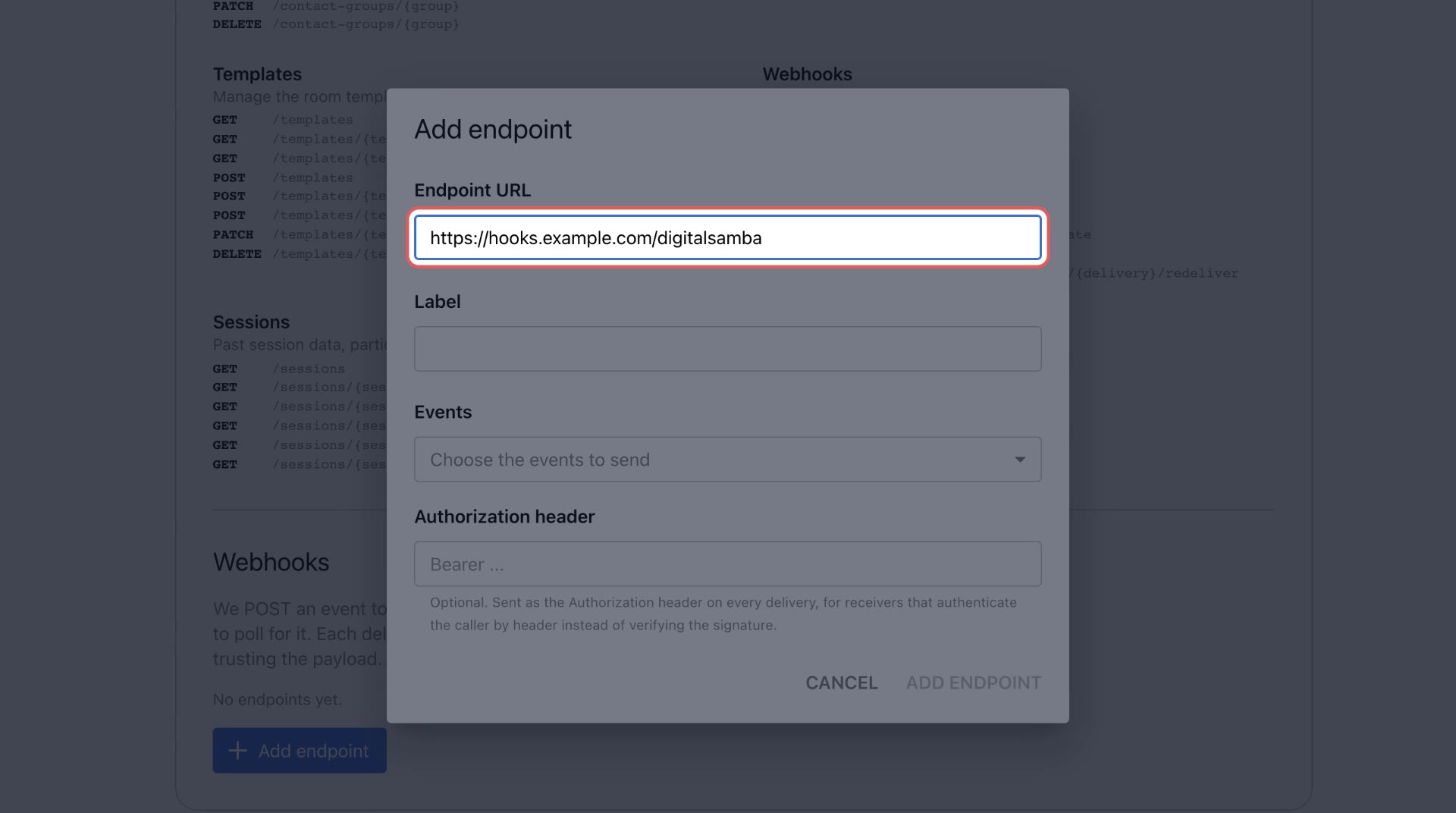
Screenshot from the film at 0:35: Under Endpoint URL, give the address that receives the events; it must start with https.
Watch this step · 0:29

The Label is just for you: Planning board.
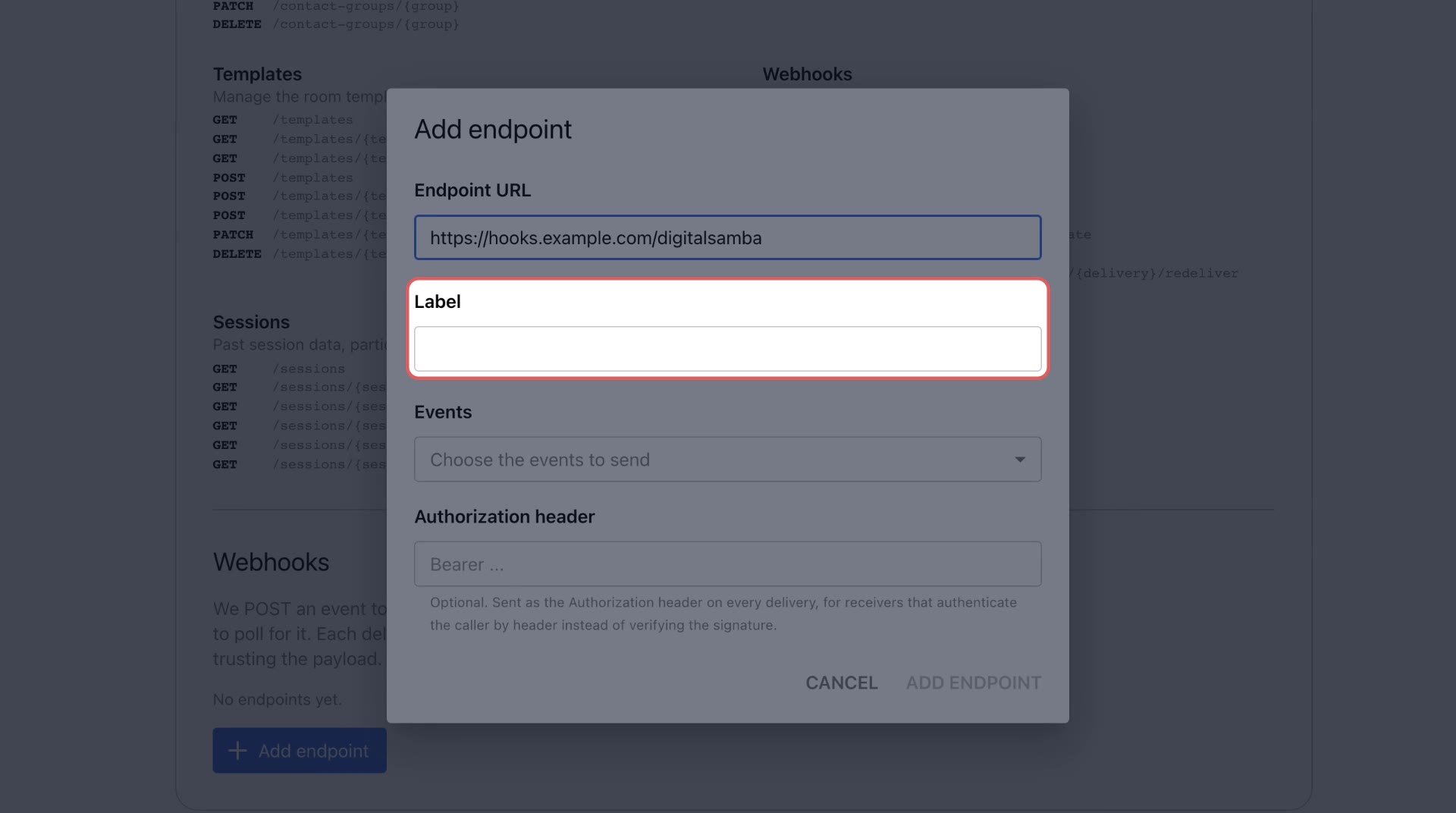
Screenshot from the film at 0:37: The Label is just for you: Planning board.
Watch this step · 0:37

Under Events, the list offers calls, the people invited to them, sessions and recordings.
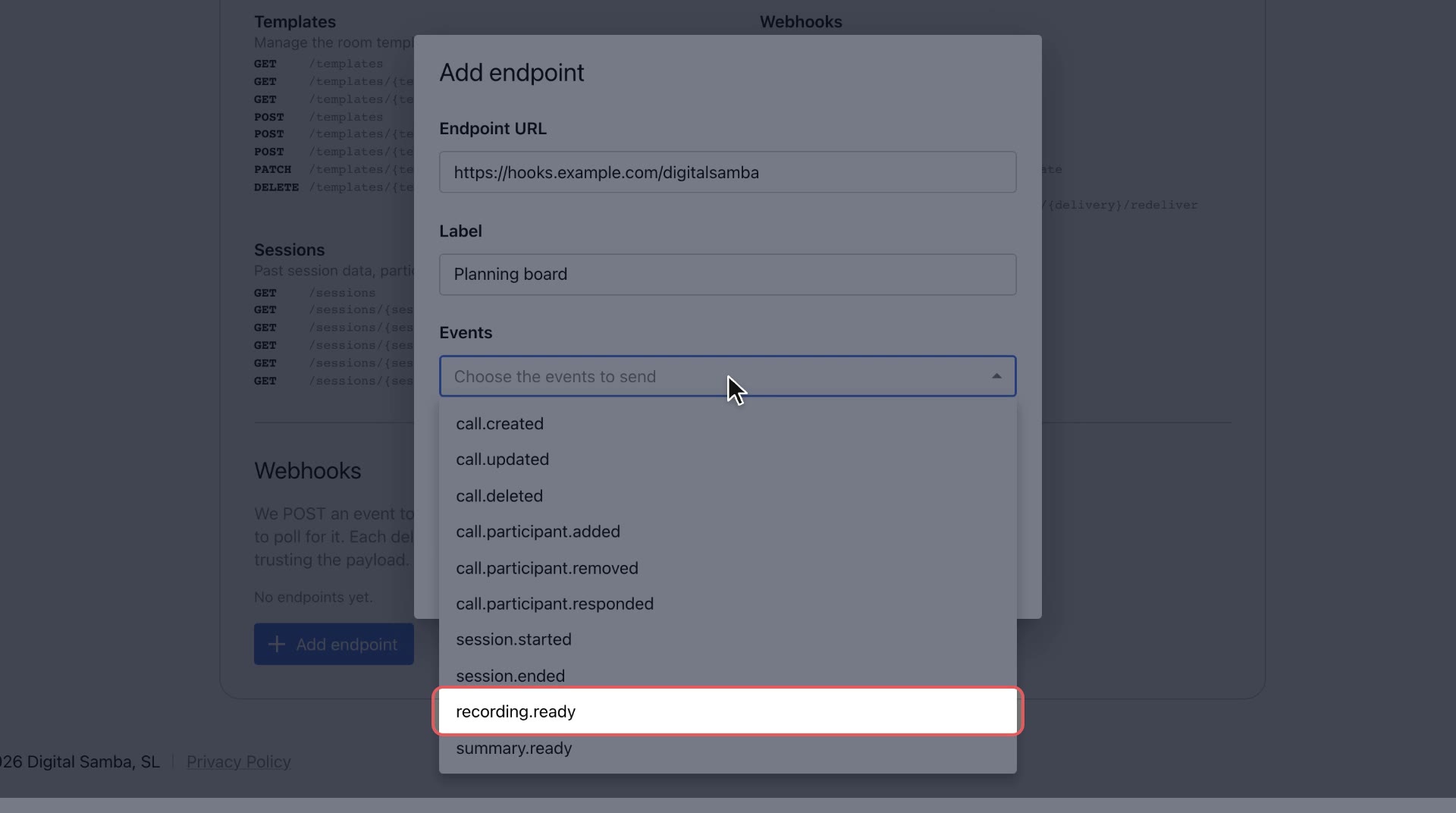
Screenshot from the film at 0:45: Under Events, the list offers calls, the people invited to them, sessions and recordings.
Watch this step · 0:40

The planning board needs three: call created, call updated and call deleted.
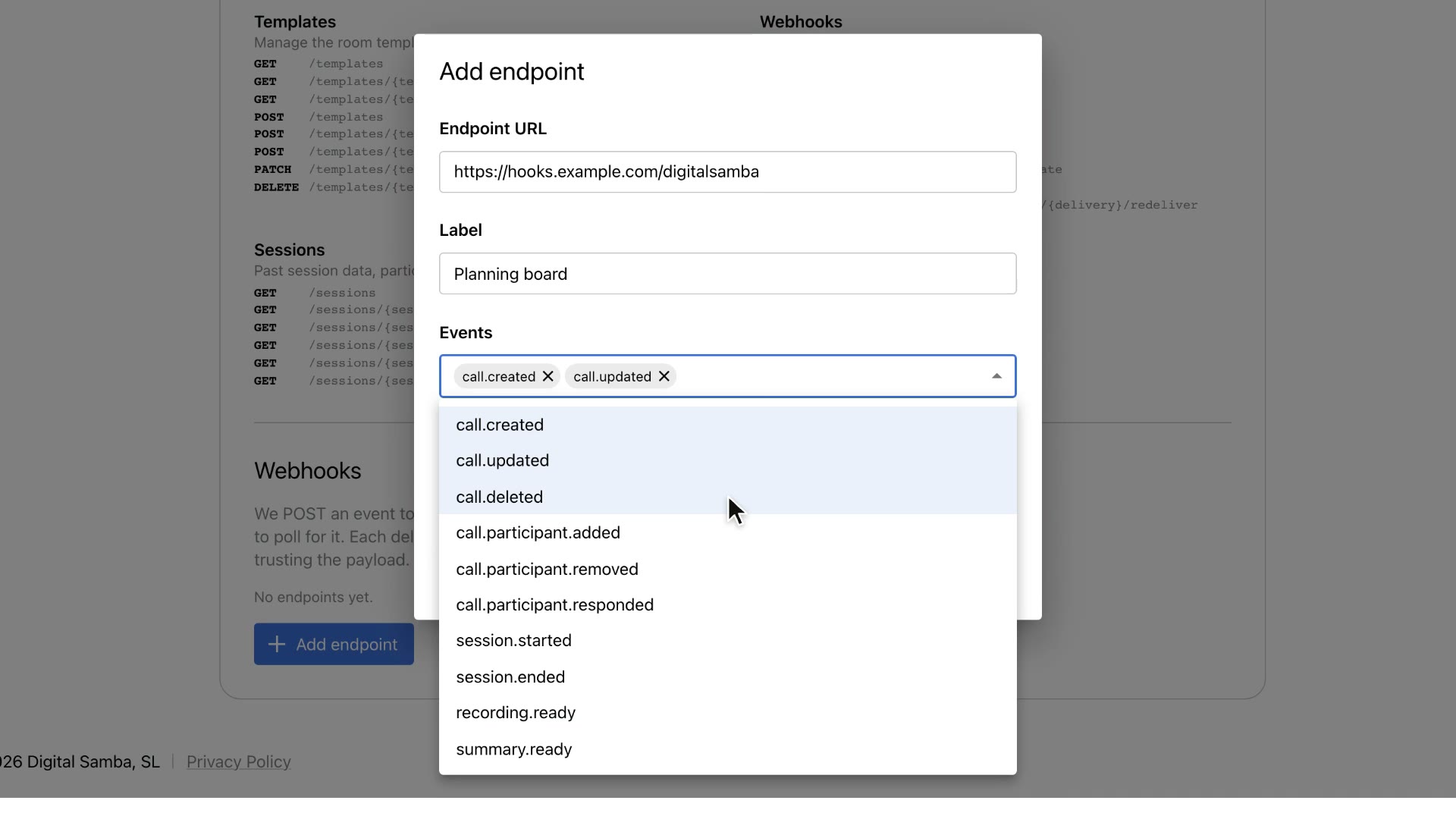
Screenshot from the film at 0:51: The planning board needs three: call created, call updated and call deleted.
Watch this step · 0:46

If your server checks a token, put it under Authorization header; it's sent with every delivery.
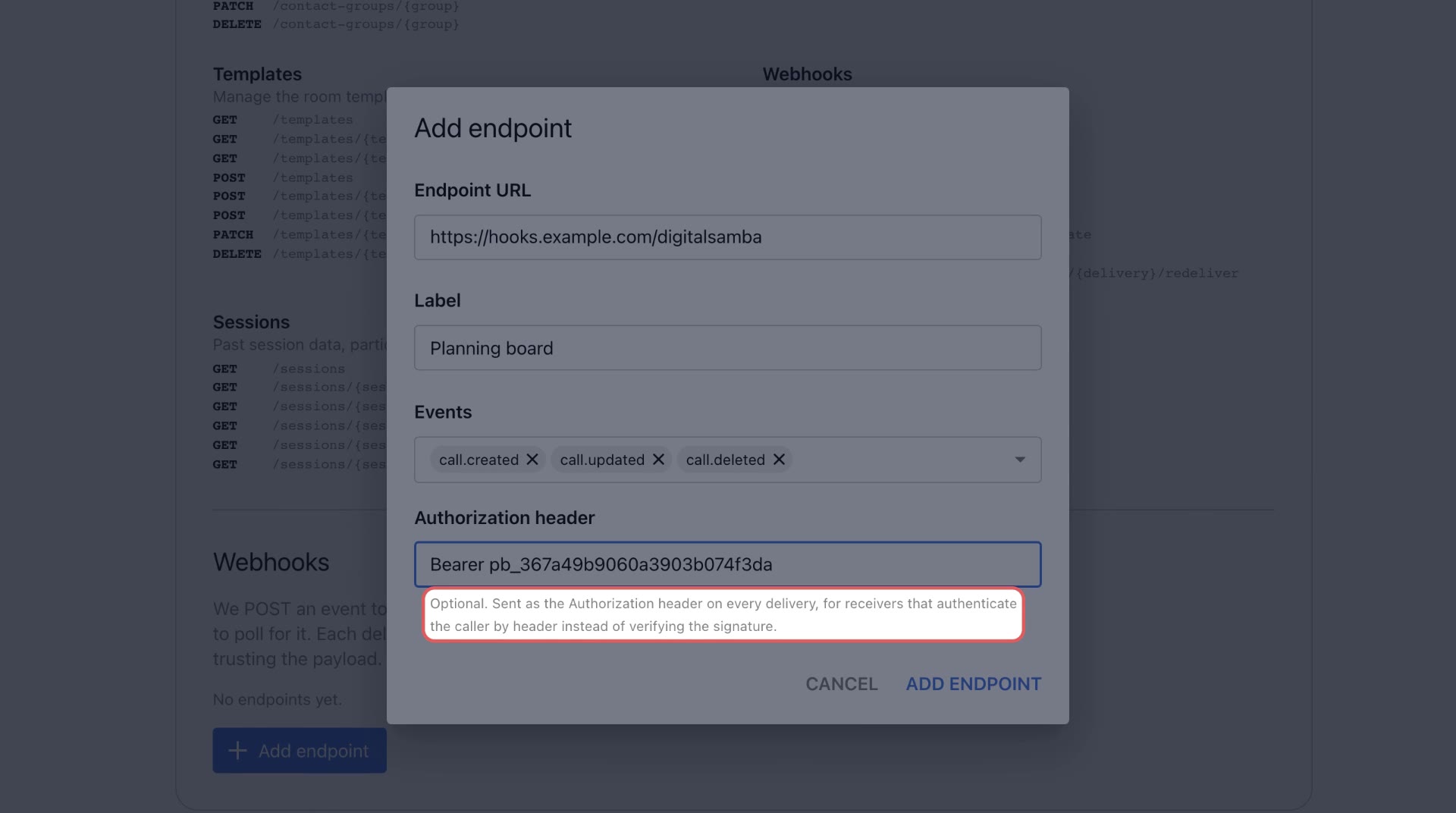
Screenshot from the film at 0:57: If your server checks a token, put it under Authorization header; it's sent with every delivery.
Watch this step · 0:52

Click Add endpoint: it's listed as Active.
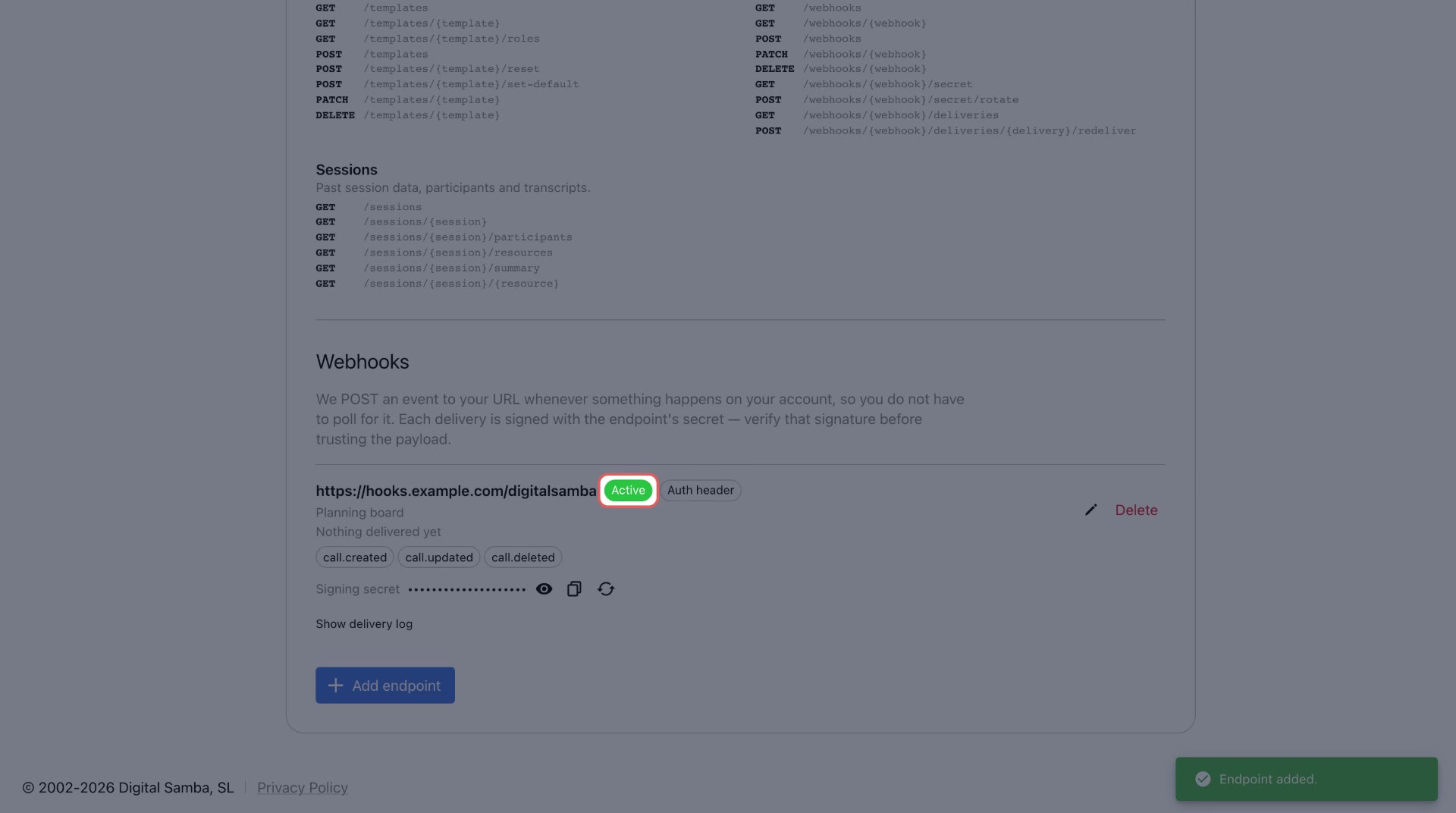
Screenshot from the film at 1:01: Click Add endpoint: it's listed as Active.
Watch this step · 0:58

2What arrives1:02

Now Ana schedules the Client kick-off, as usual.
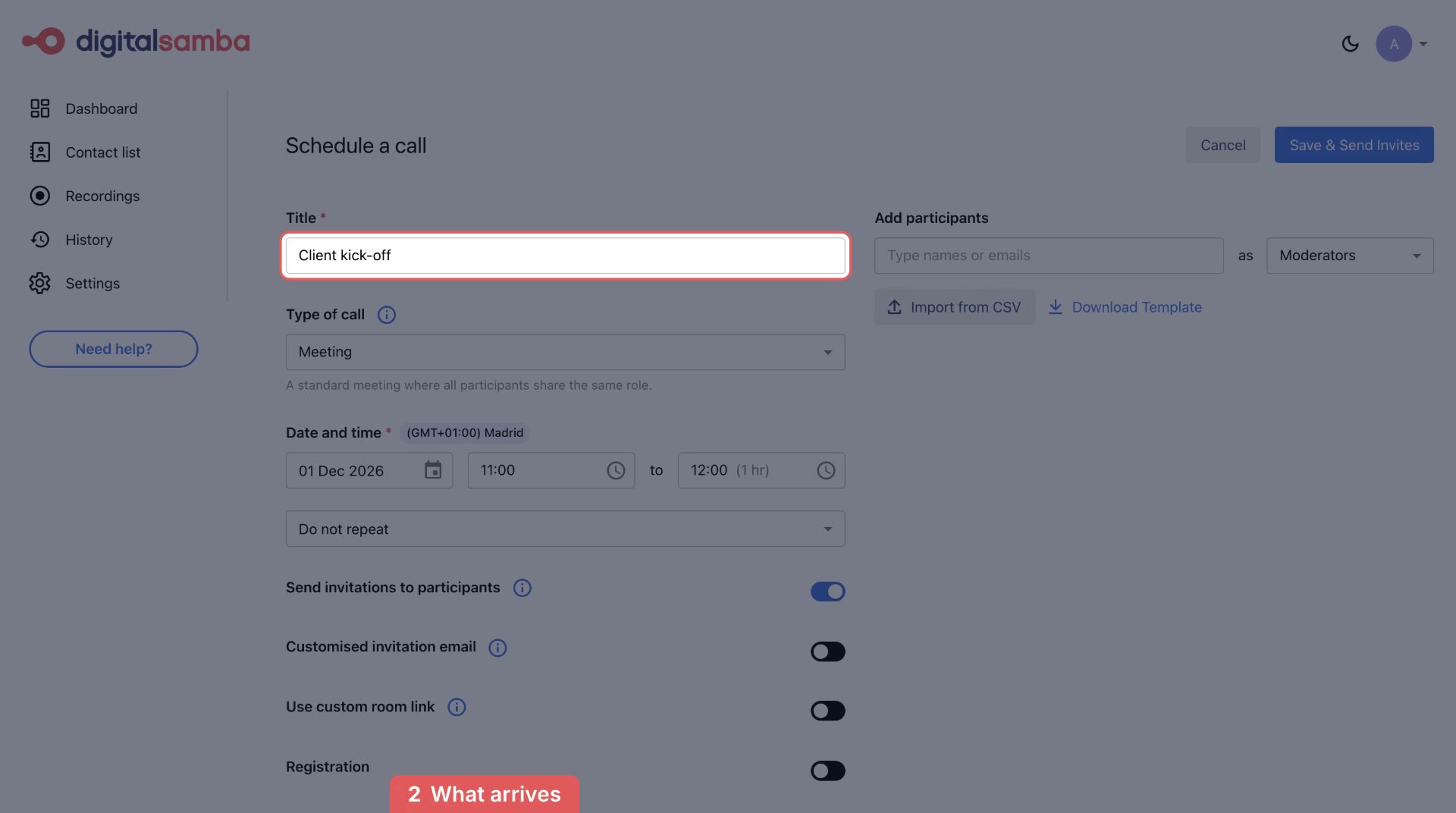
Screenshot from the film at 1:05: Now Ana schedules the Client kick-off, as usual.
Watch this step · 1:03

Within seconds, the planning board receives a POST request.
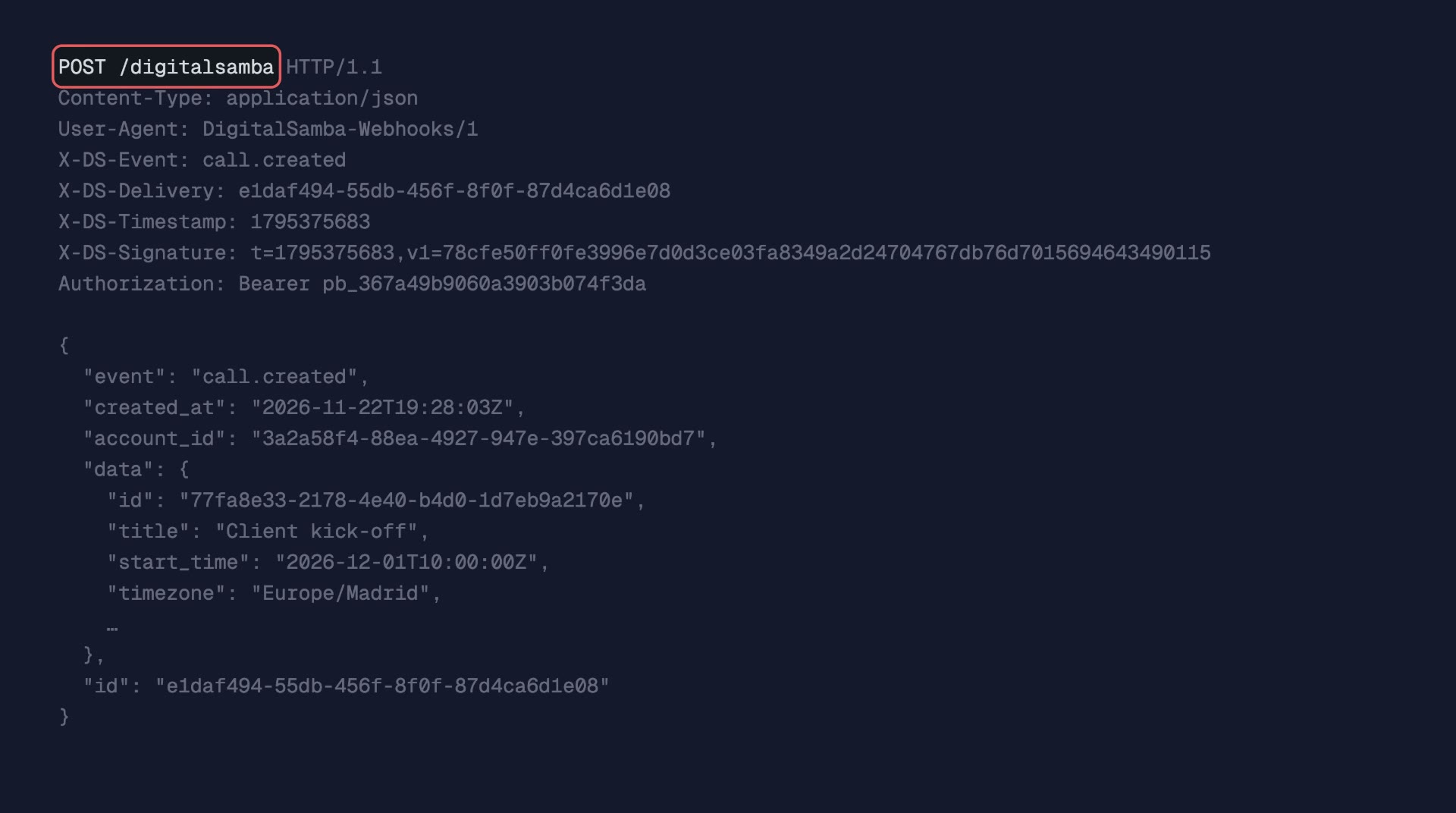
Screenshot from the film at 1:09: Within seconds, the planning board receives a POST request.
Watch this step · 1:07

The event header says call created, and the body is JSON: the event, when it happened, and the call itself.
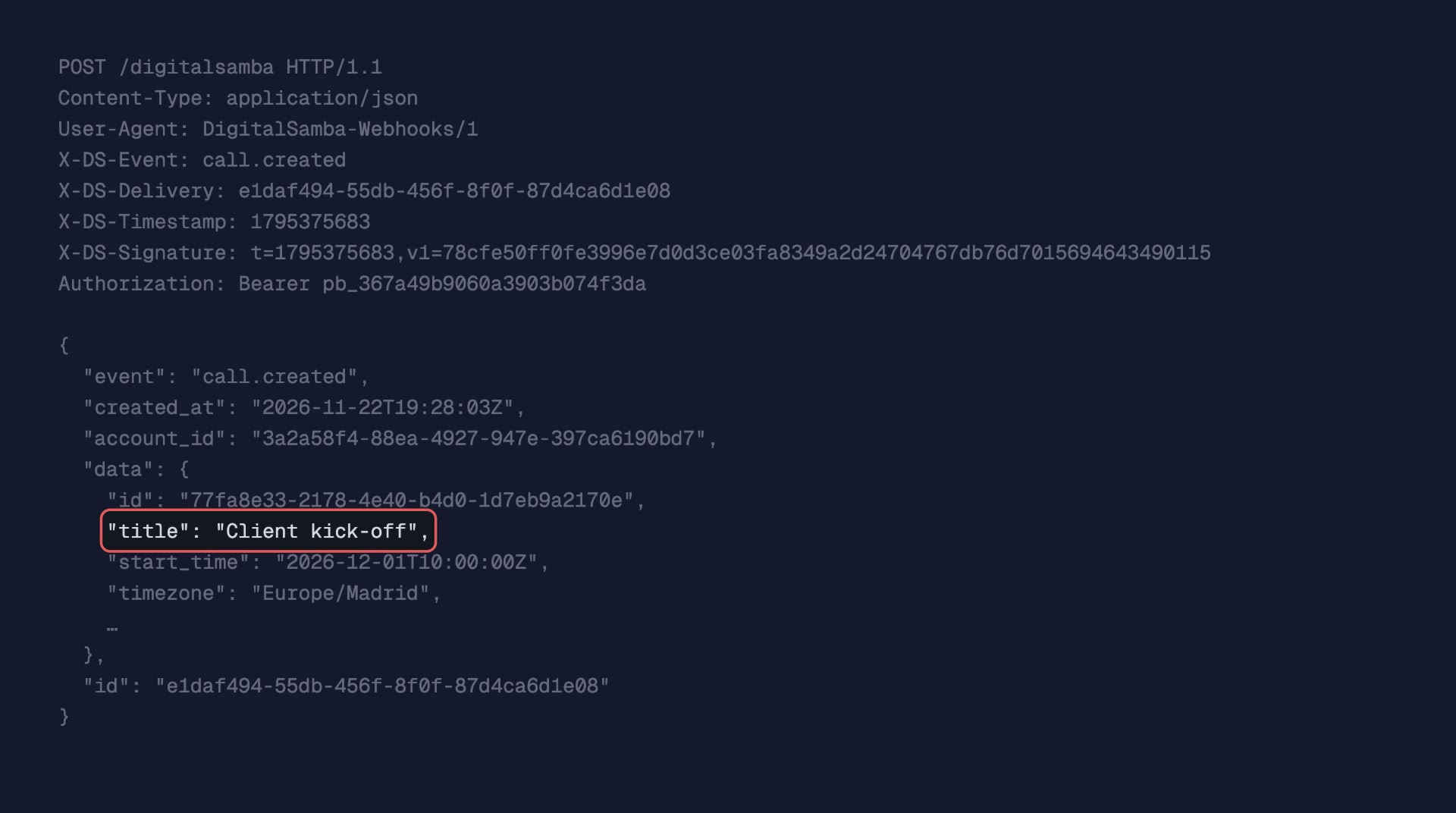
Screenshot from the film at 1:18: The event header says call created, and the body is JSON: the event, when it happened, and the call itself.
Watch this step · 1:11

The Authorization header arrives exactly as it was typed.
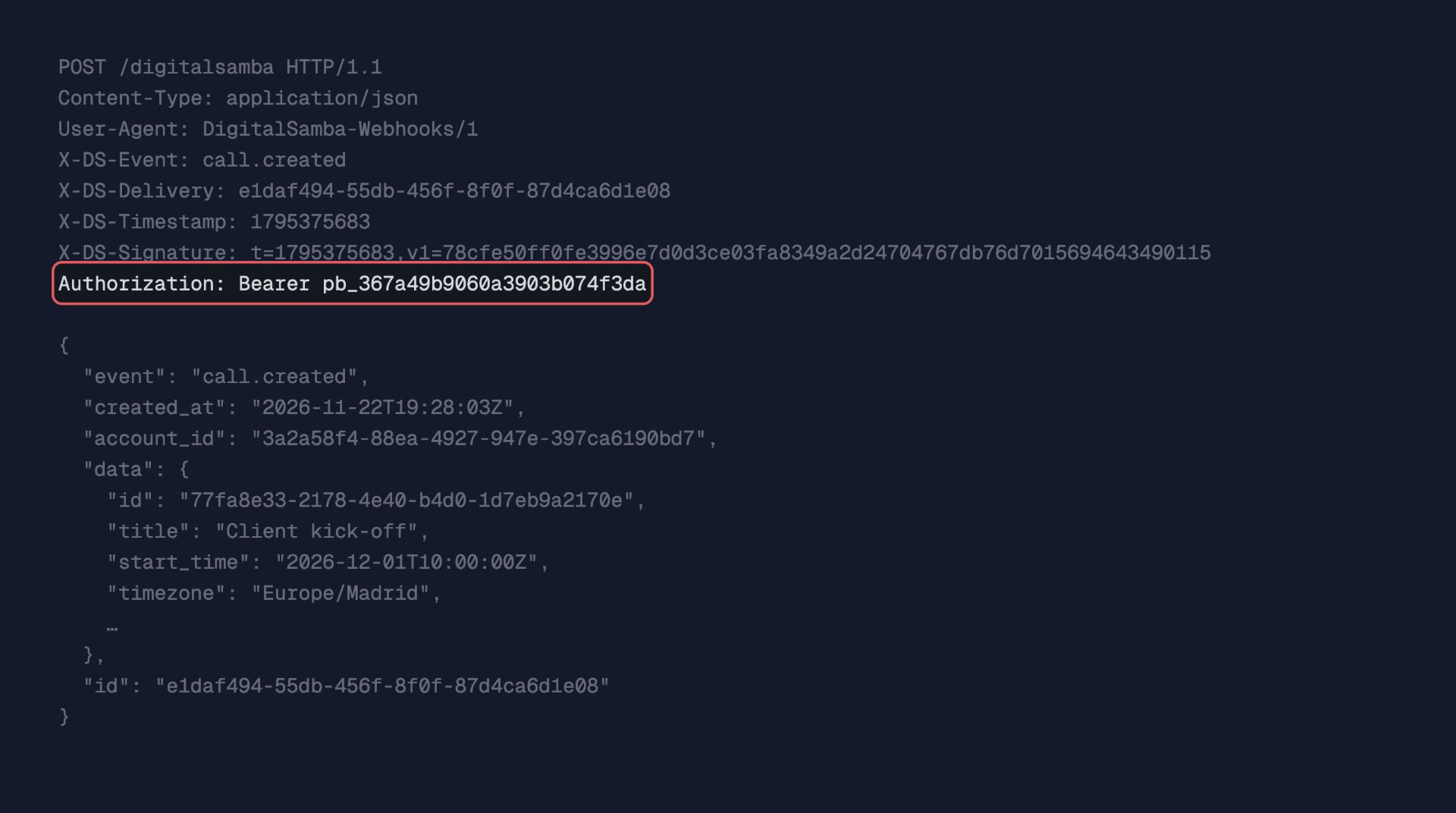
Screenshot from the film at 1:20: The Authorization header arrives exactly as it was typed.
Watch this step · 1:19

Moving the call sends call updated; deleting it sends call deleted.
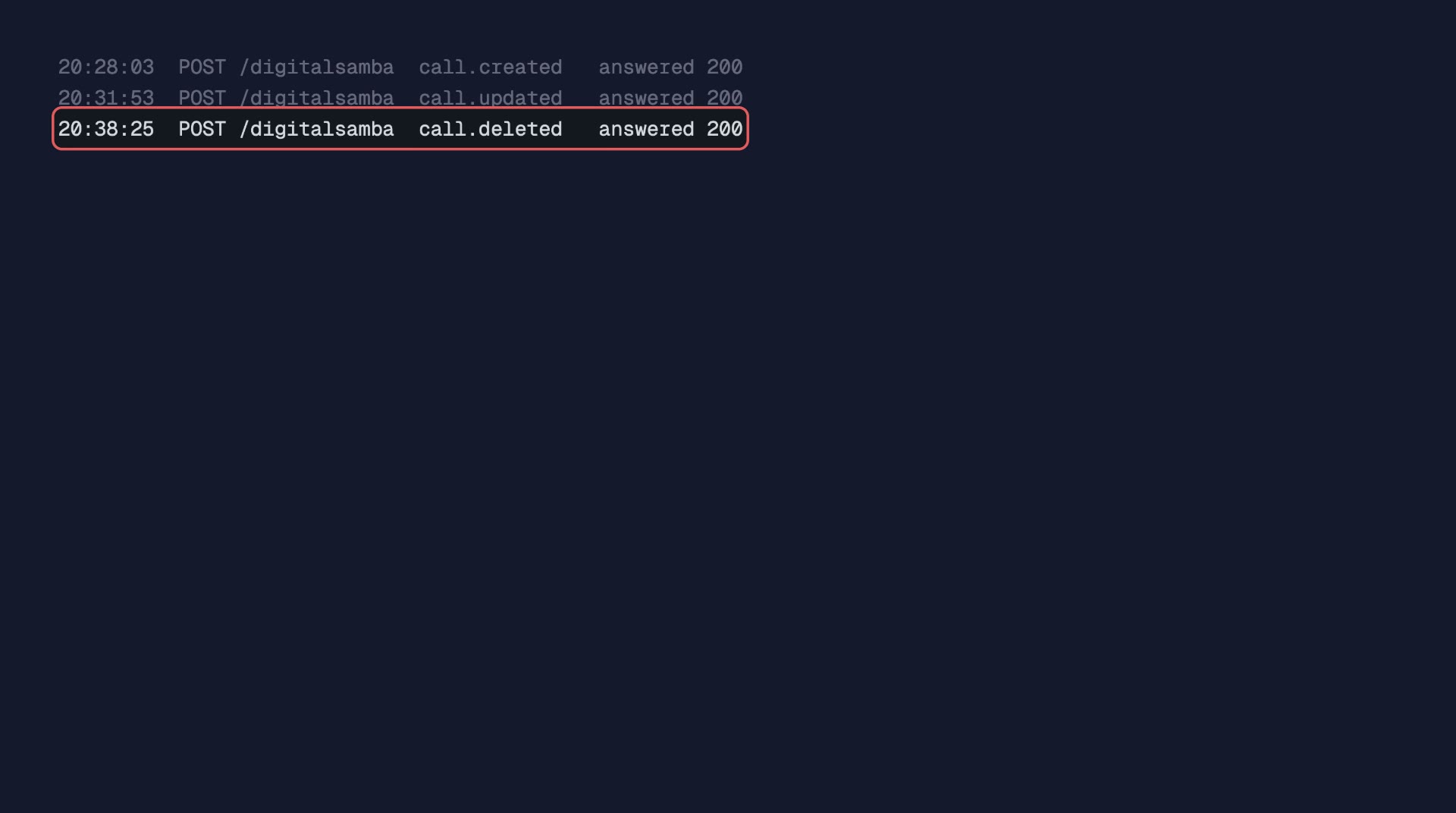
Screenshot from the film at 1:27: Moving the call sends call updated; deleting it sends call deleted.
Watch this step · 1:23

3Signing secret1:28

Anyone could send a request to your address, so check each delivery before you trust it.
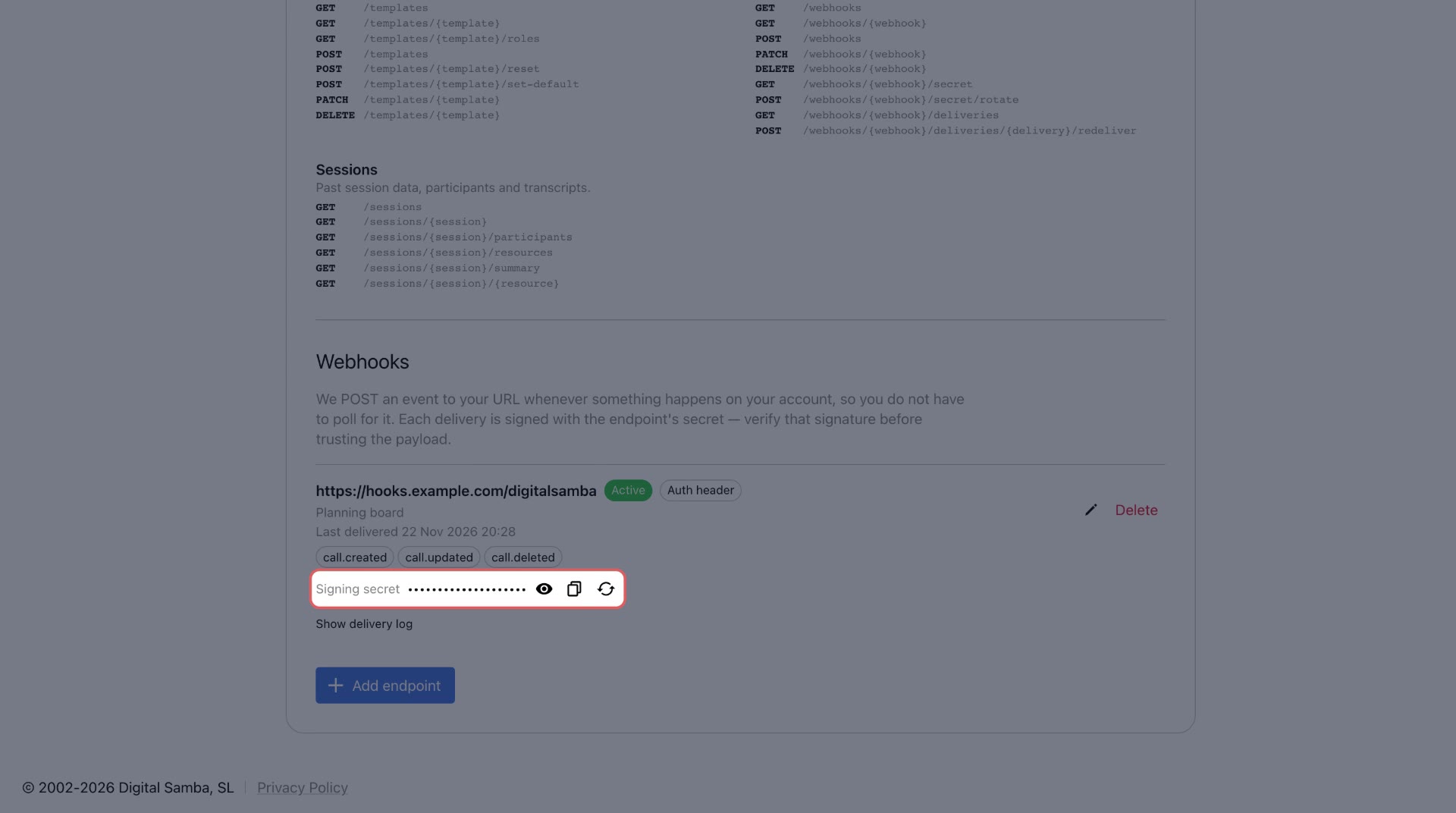
Screenshot from the film at 1:33: Anyone could send a request to your address, so check each delivery before you trust it.
Watch this step · 1:29

Every endpoint has its own signing secret: click the eye to show it, or copy it.
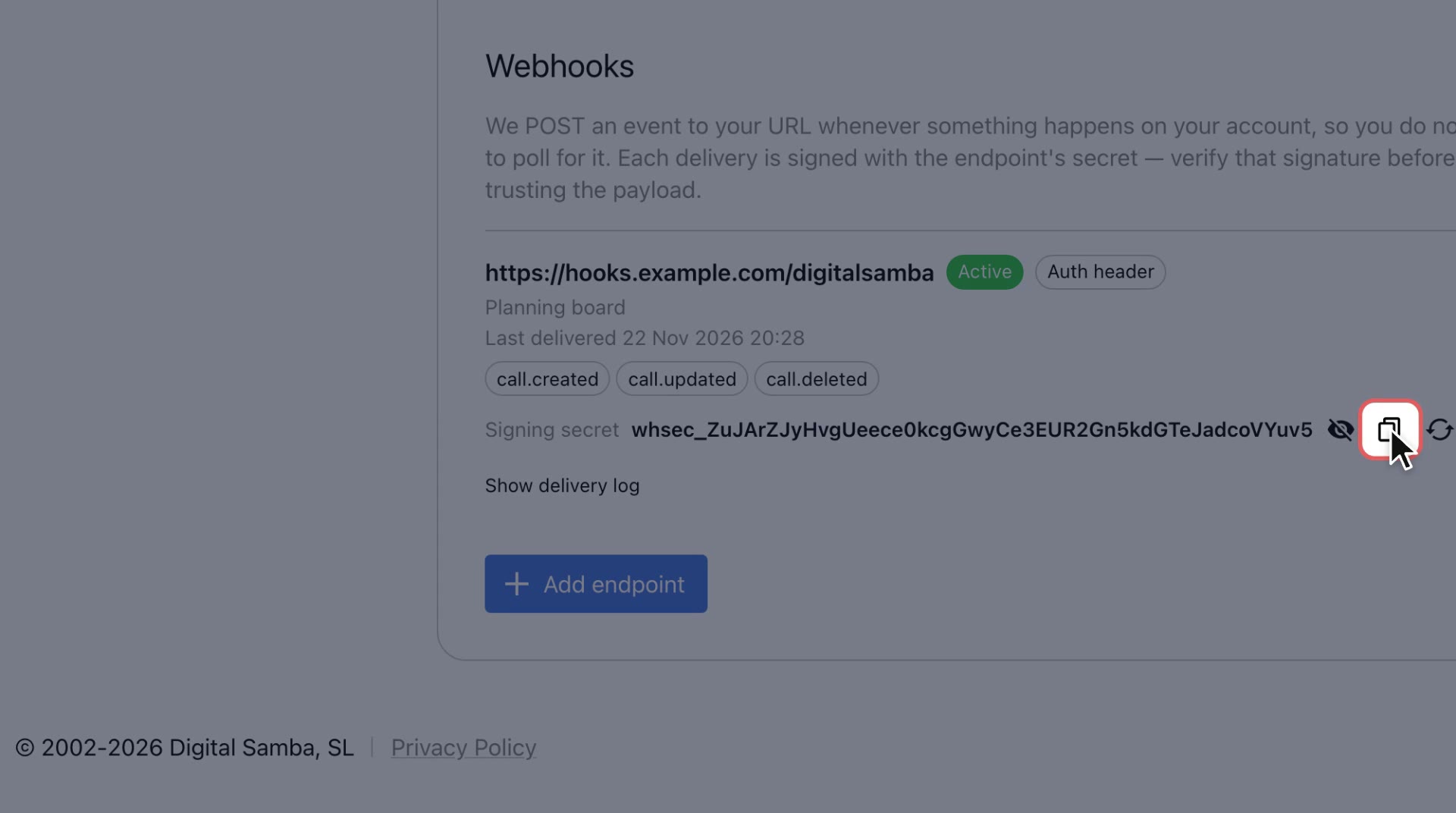
Screenshot from the film at 1:40: Every endpoint has its own signing secret: click the eye to show it, or copy it.
Watch this step · 1:35

The signature header holds a timestamp and a signature.
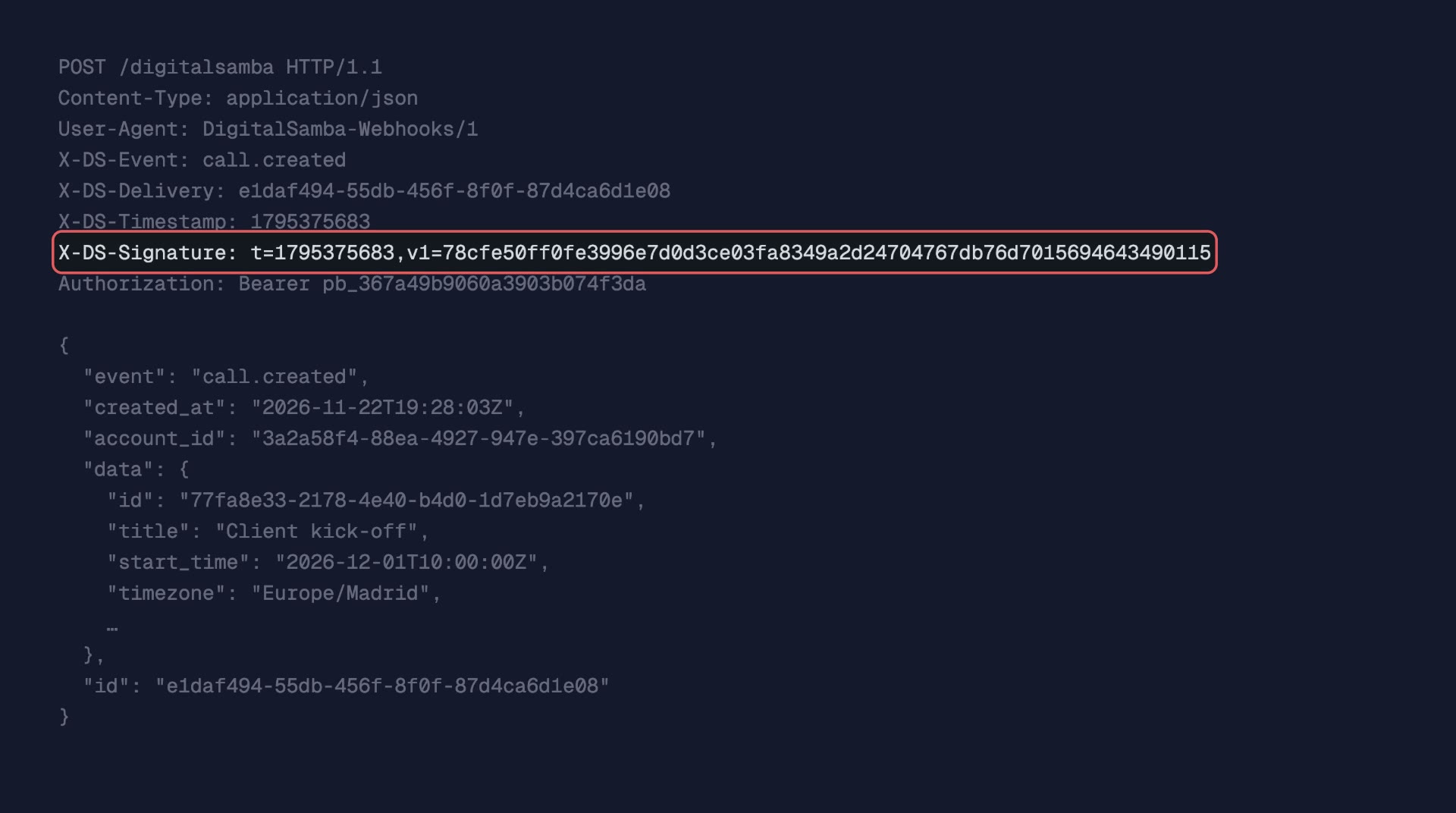
Screenshot from the film at 1:43: The signature header holds a timestamp and a signature.
Watch this step · 1:41

Your server computes an HMAC with SHA-256 over the timestamp, a dot and the raw body, using the secret as the key, and compares the two.
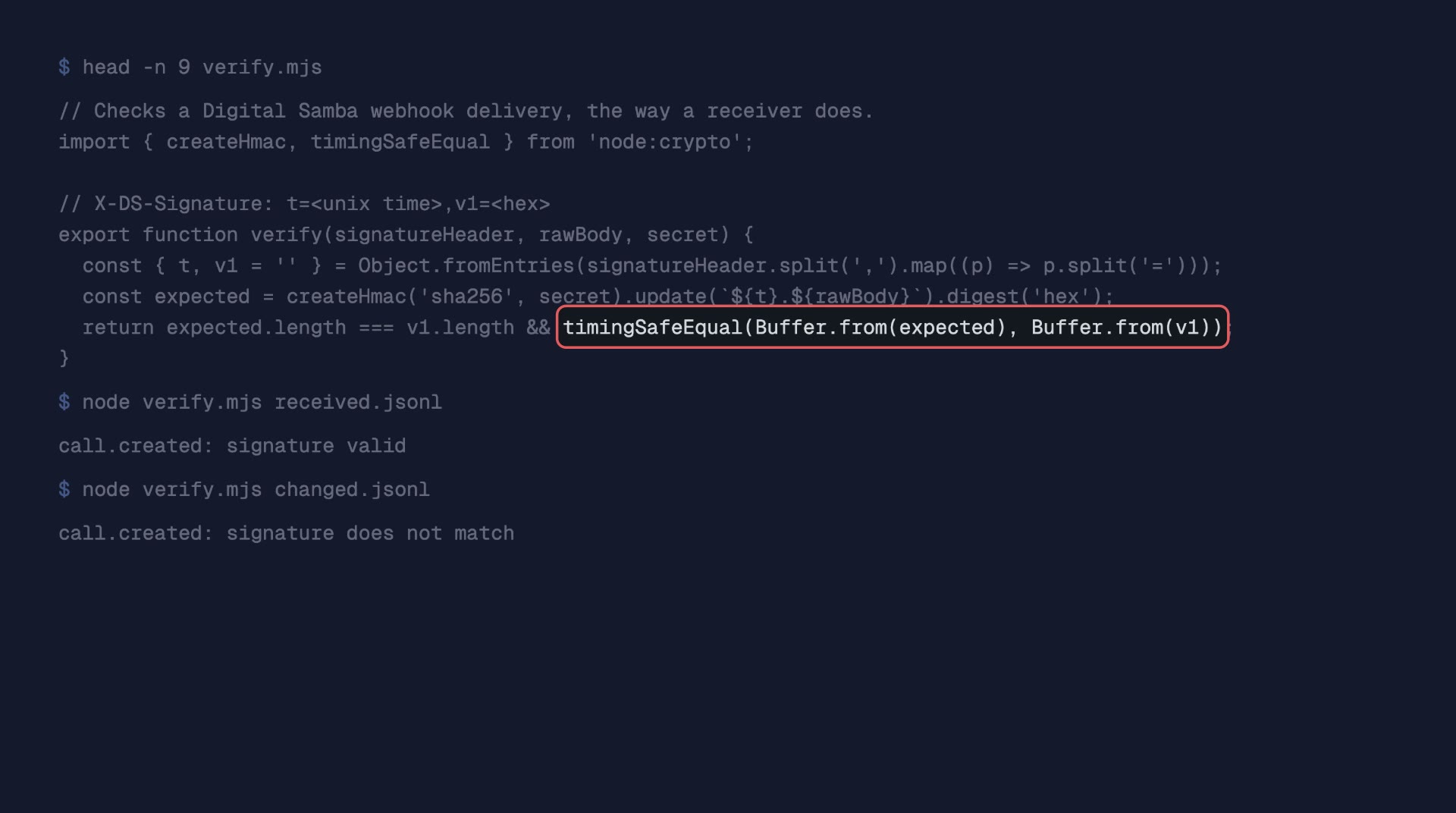
Screenshot from the film at 1:55: Your server computes an HMAC with SHA-256 over the timestamp, a dot and the raw body, using the secret as the key, and compares the two.
Watch this step · 1:45

Here, the check says the delivery is genuine; change one character of the body, and it fails.
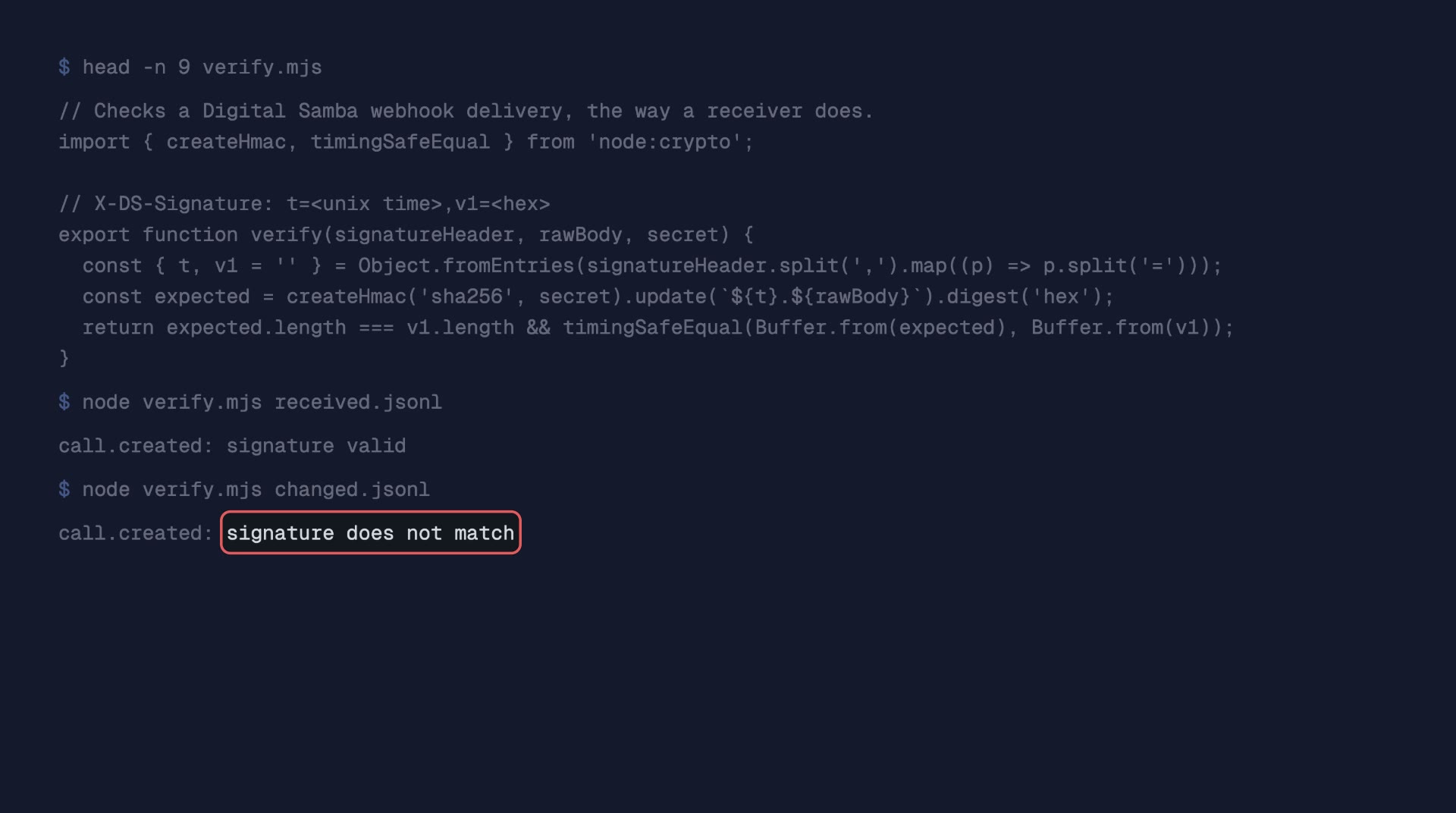
Screenshot from the film at 2:01: Here, the check says the delivery is genuine; change one character of the body, and it fails.
Watch this step · 1:56

To replace the secret, click Rotate: the old one stops being used straight away, so update your server promptly.
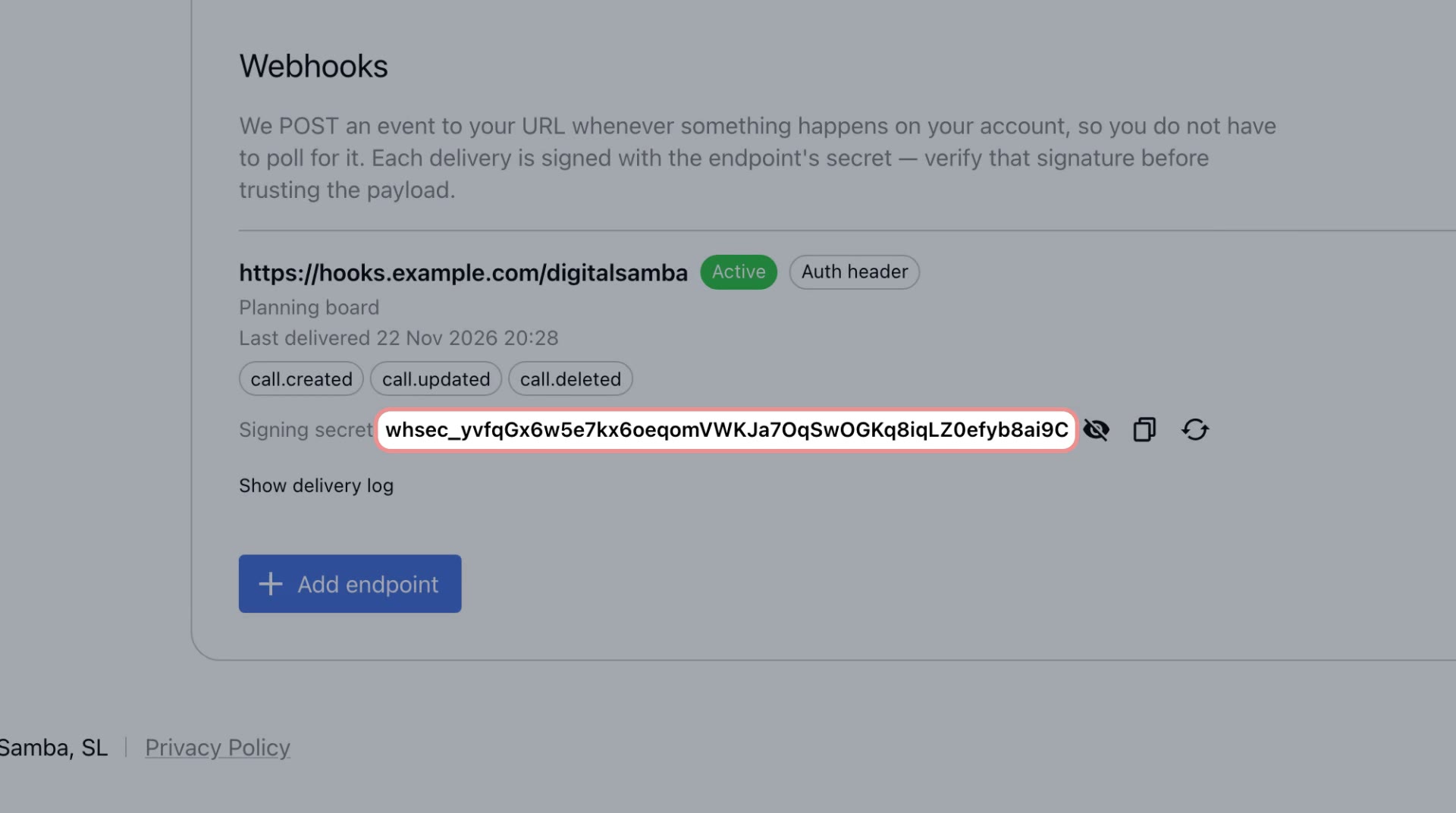
Screenshot from the film at 2:10: To replace the secret, click Rotate: the old one stops being used straight away, so update your server promptly.
Watch this step · 2:02

4Delivery log2:10

Each endpoint keeps a log: click Show delivery log.
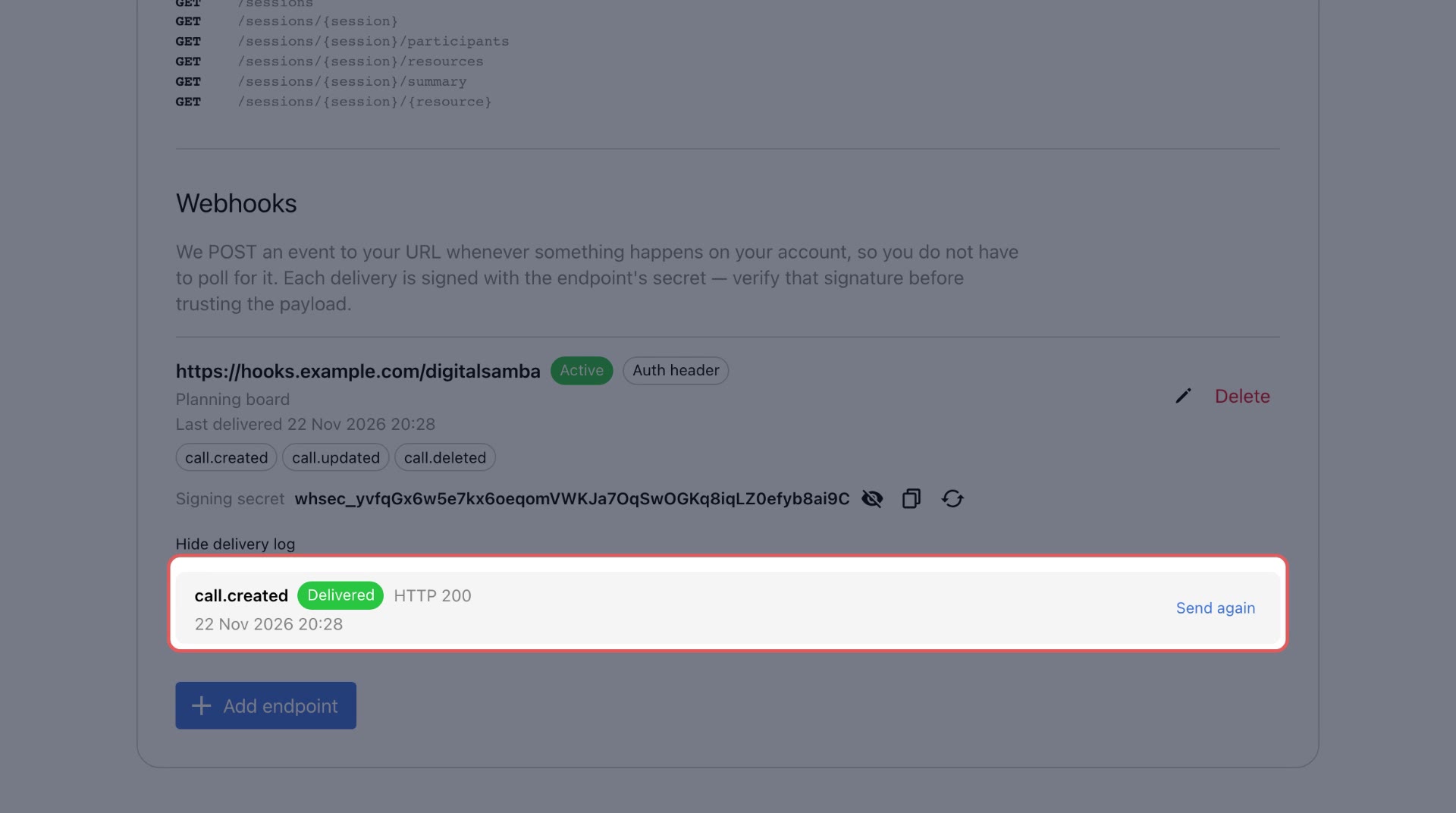
Screenshot from the film at 2:15: Each endpoint keeps a log: click Show delivery log.
Watch this step · 2:11

Every delivery is listed with its event, its status and your server's answer.
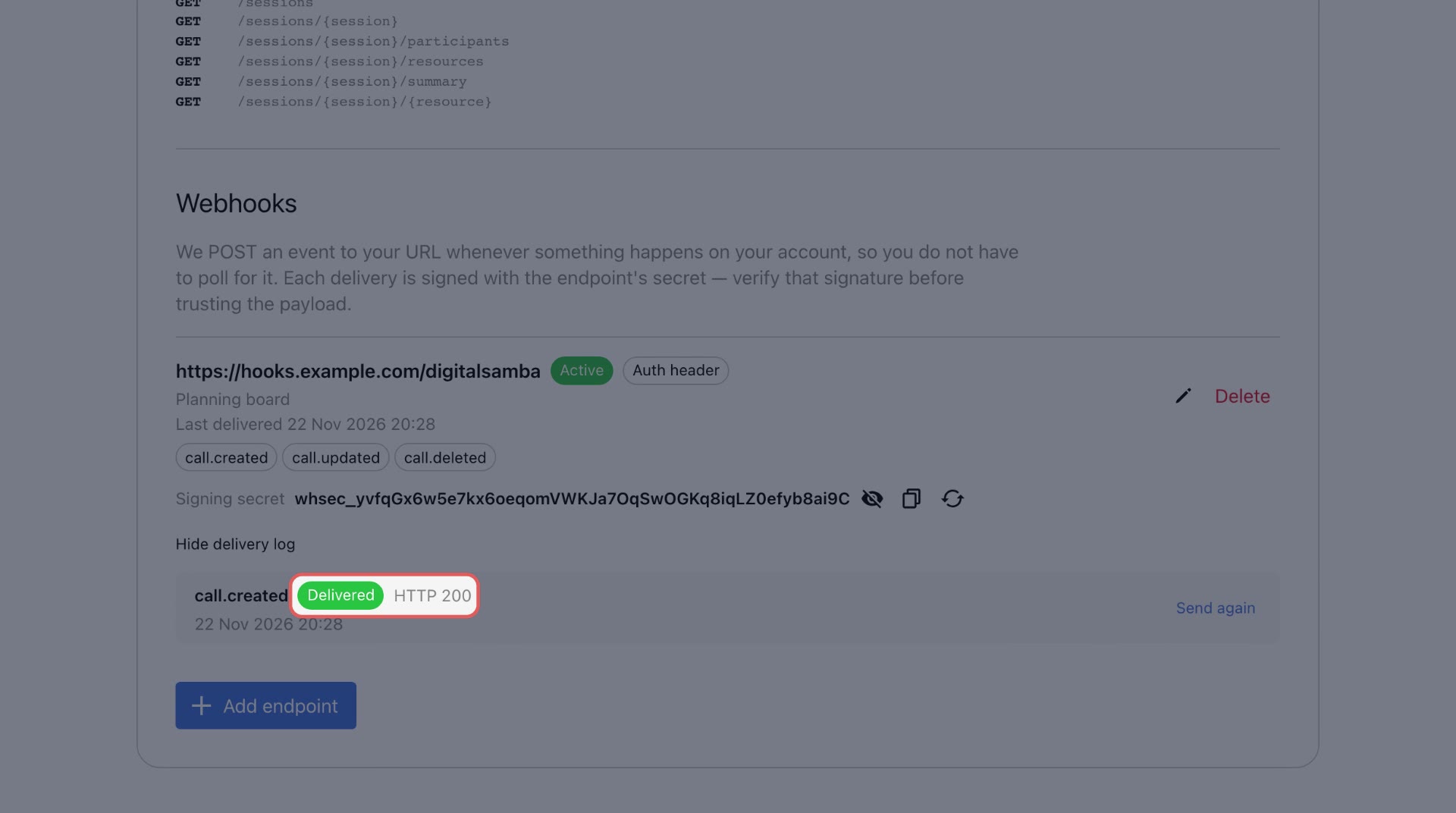
Screenshot from the film at 2:18: Every delivery is listed with its event, its status and your server's answer.
Watch this step · 2:15

Send again sends a delivery once more, for example after you've fixed your server; reload the page to see it delivered.
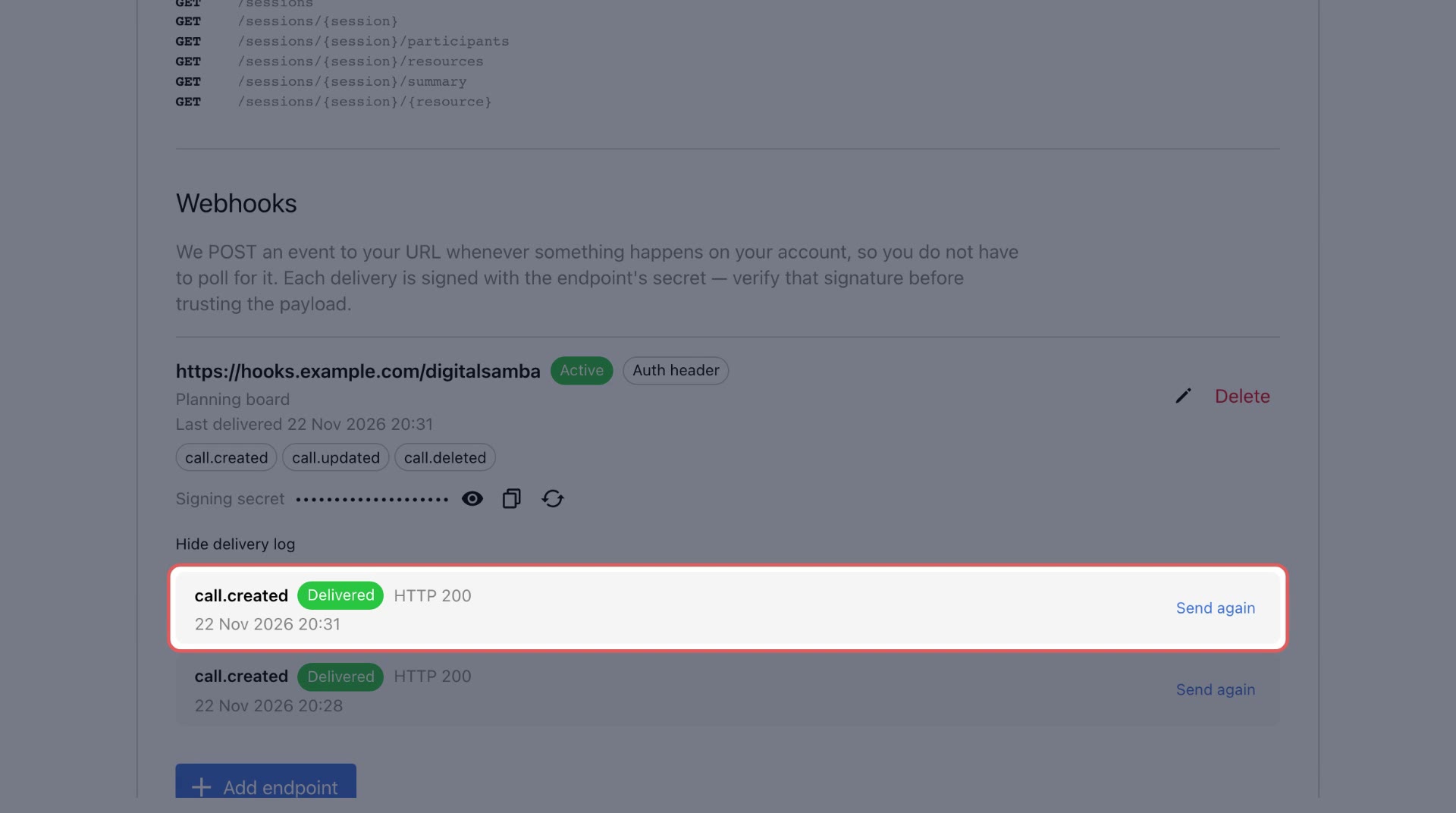
Screenshot from the film at 2:28: Send again sends a delivery once more, for example after you've fixed your server; reload the page to see it delivered.
Watch this step · 2:21

If your server answers with an error, Digital Samba tries again.
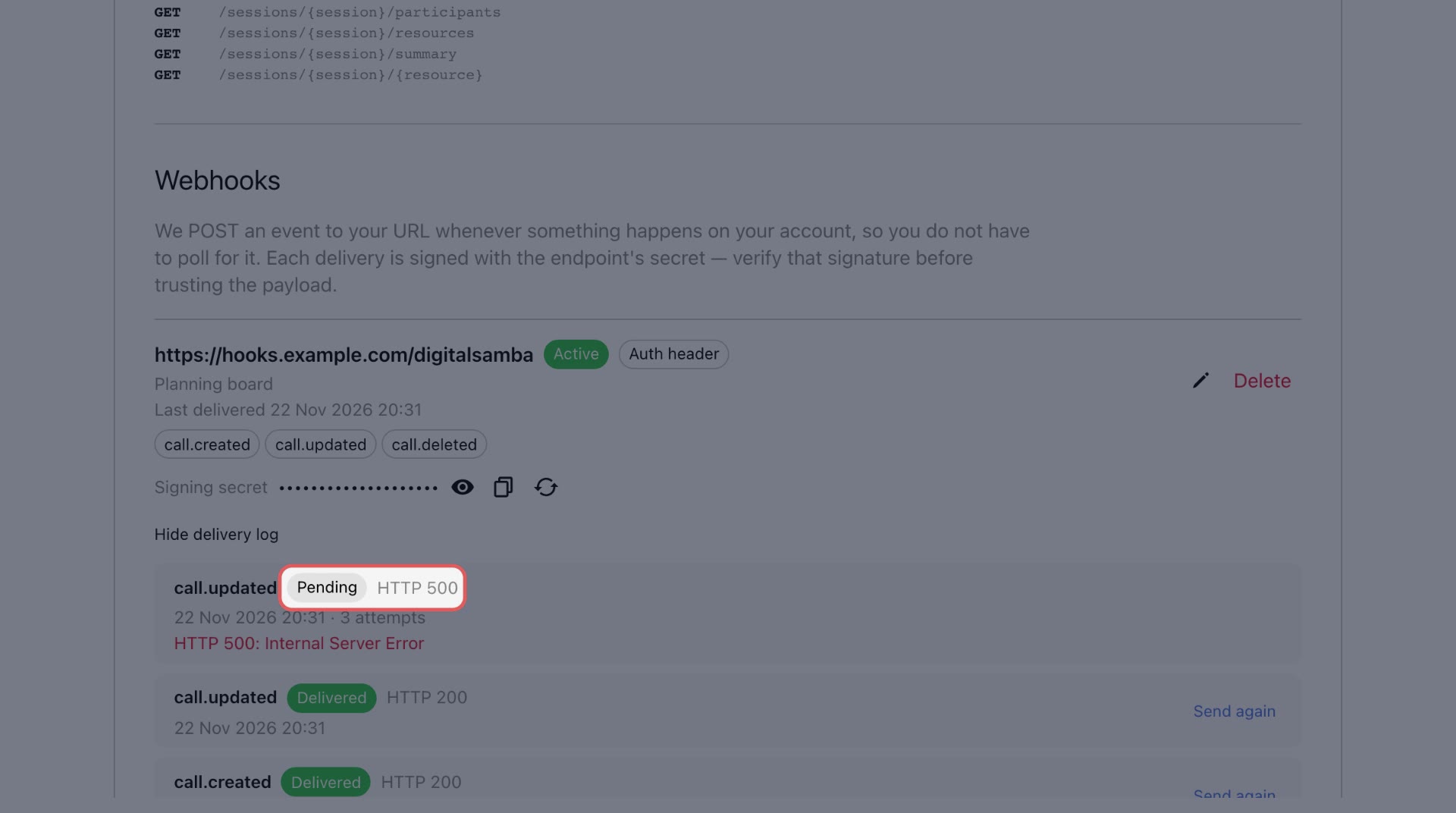
Screenshot from the film at 2:32: If your server answers with an error, Digital Samba tries again.
Watch this step · 2:29

Here the planning board was down while Ana moved the call: Pending, with the error and the number of attempts.
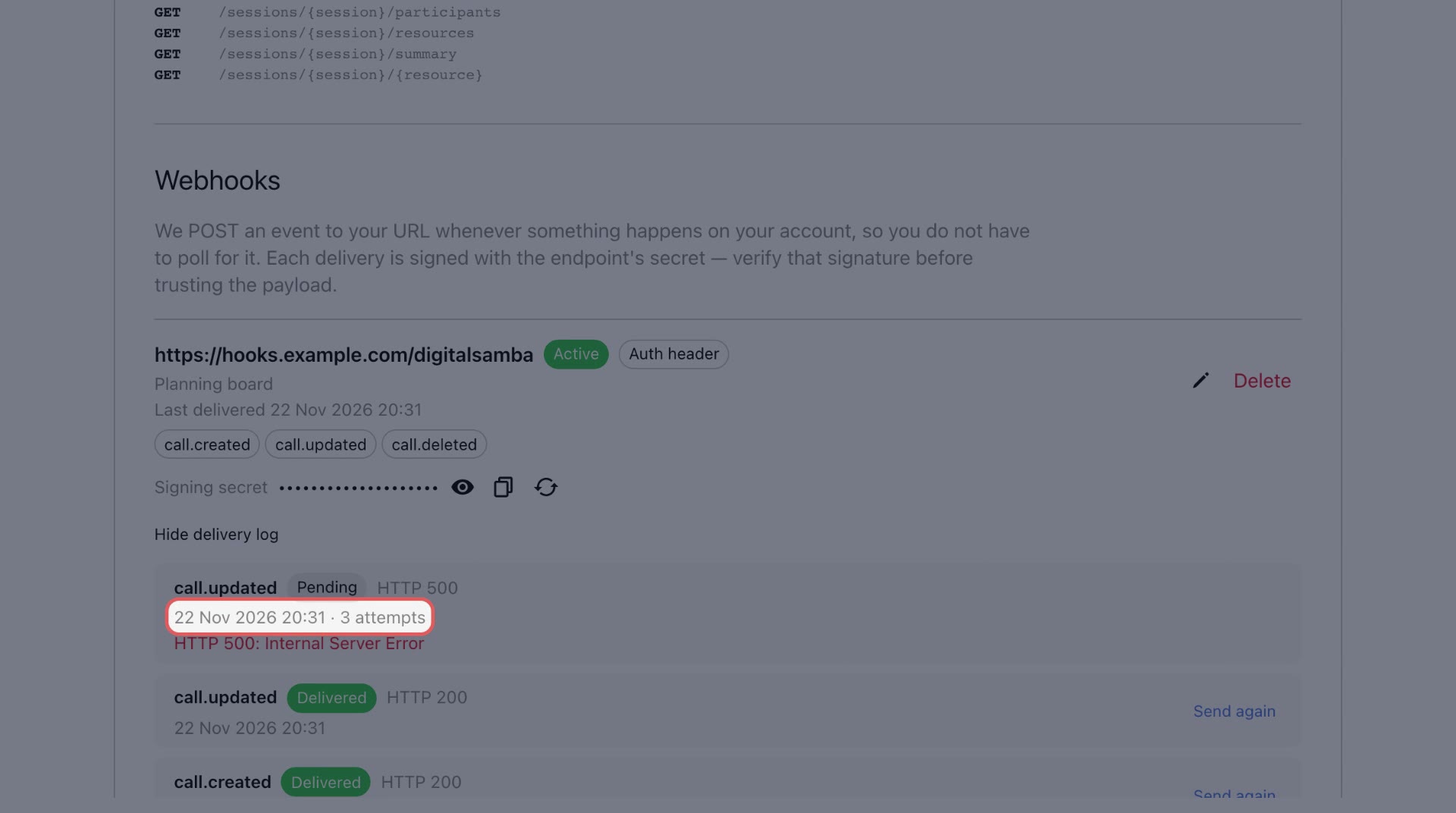
Screenshot from the film at 2:39: Here the planning board was down while Ana moved the call: Pending, with the error and the number of attempts.
Watch this step · 2:33

Once it was back, the next attempt got through: Delivered, after four attempts.
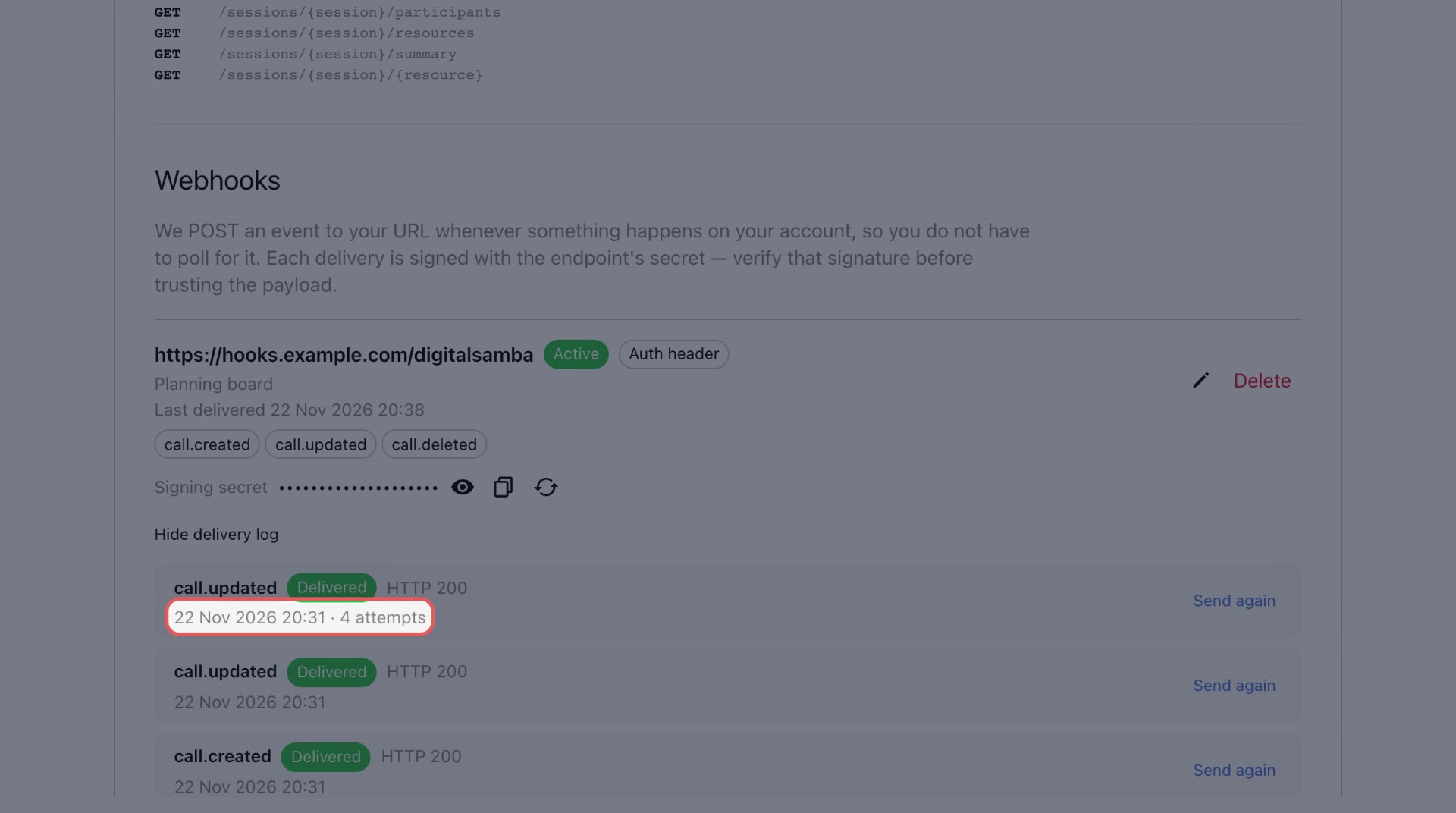
Screenshot from the film at 2:44: Once it was back, the next attempt got through: Delivered, after four attempts.
Watch this step · 2:40

Good to know2:45

A delivery that keeps failing is tried six times in all, over a little more than an hour.
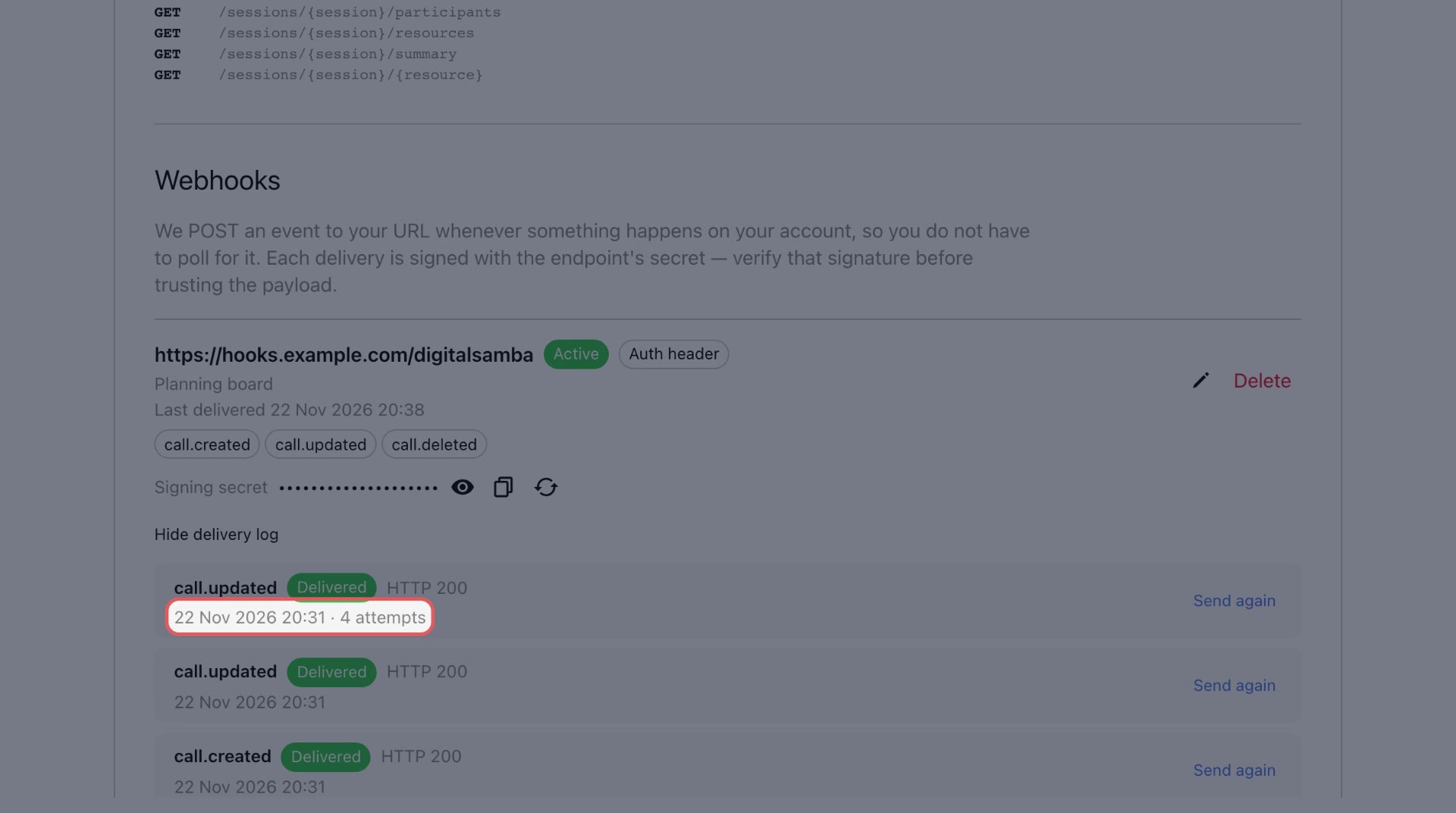
Screenshot from the film at 2:50: Good to know: a delivery that keeps failing is tried six times in all, over a little more than an hour.
Watch this step · 2:46

If deliveries go on failing, the endpoint is switched off and says so; fix it and save it to start it again.
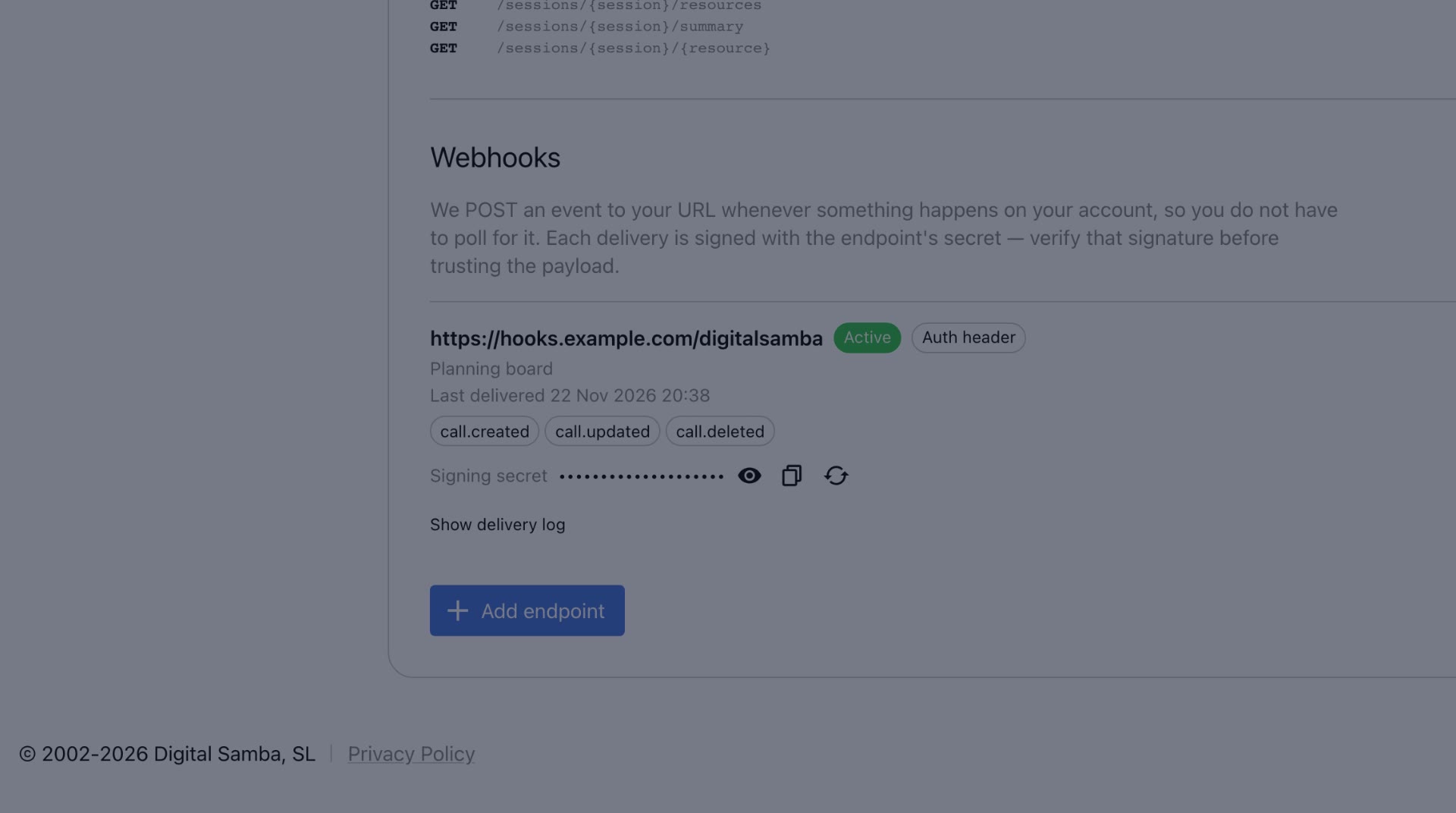
Screenshot from the film at 2:59: If deliveries go on failing, the endpoint is switched off and says so; fix it and save it to start it again.
Watch this step · 2:53

Recap3:01

So: add an endpoint and choose its events, check every signature with the signing secret, and use the delivery log when something goes wrong.
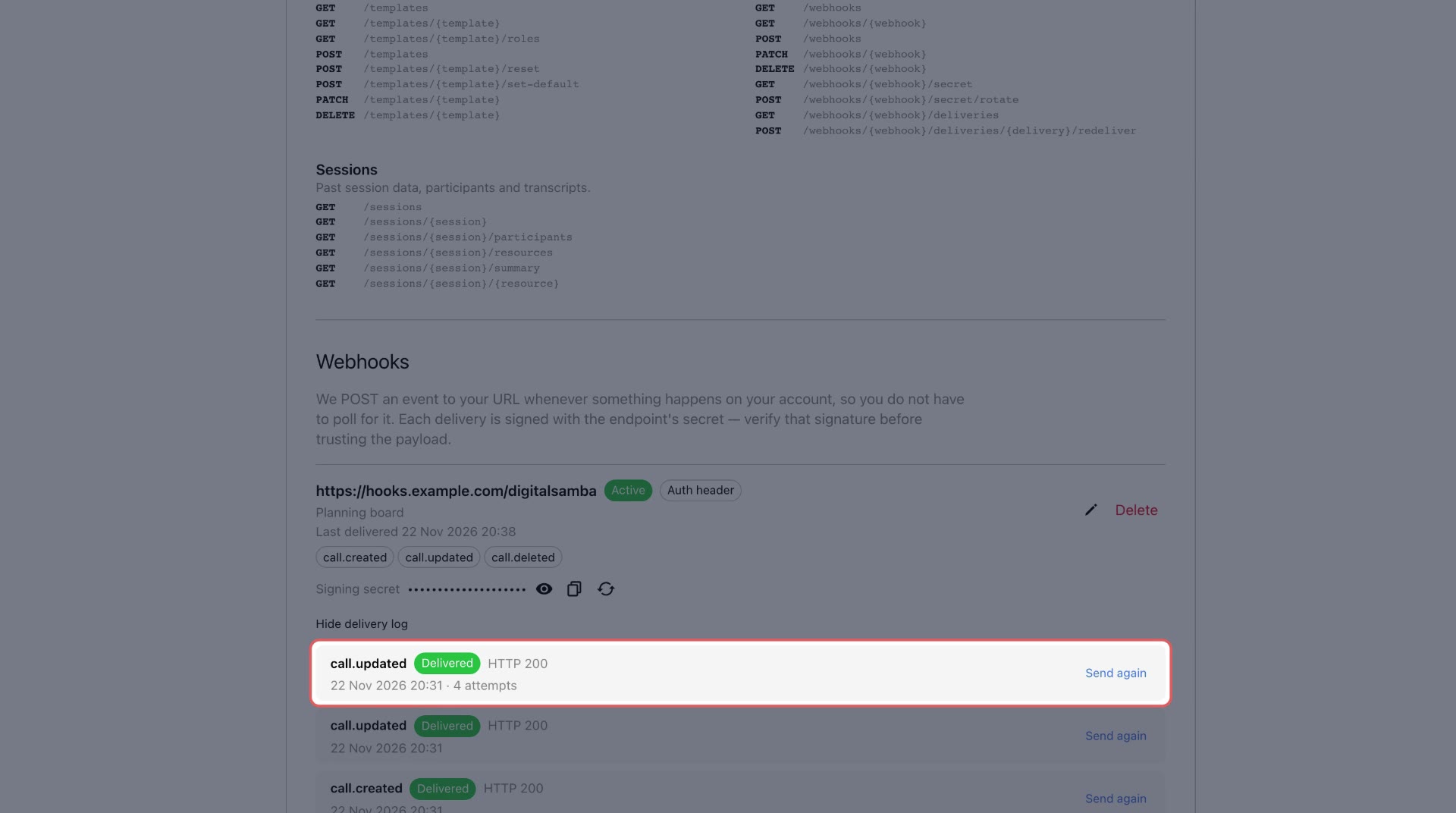
Screenshot from the film at 3:09: So: add an endpoint and choose its events, check every signature with the signing secret, and use the delivery log when something goes wrong.
Watch this step · 3:01

In this video

Next

Related

Updated

The film, the article, the captions and the search results all come from one source, so they change together.

  1. Version 1 ·
    First version.

All updates