Skip to content
University
Videos
Most watched
Topics
Updates
Search the videos
Topics
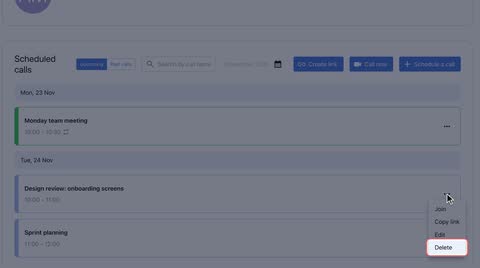
Call cards and their menu
All 13 moments in Digital Samba University that depend on this.
Your dashboard at a glance
Getting started · 2:12
0:49
Call cards
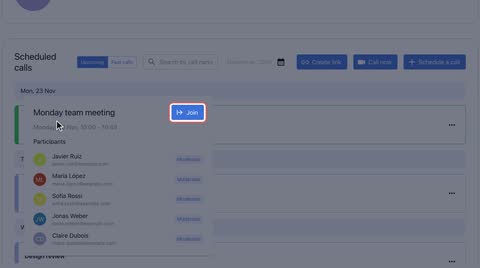
Point at a call's name, and a panel shows who's invited, with a Join button.
Read
0:55
Call cards
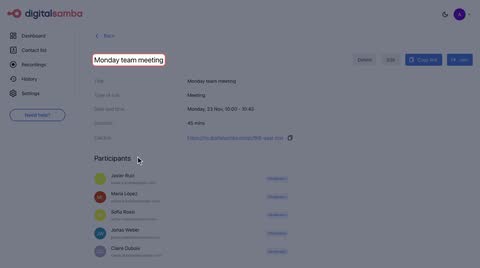
Click the call to open its page.
Read
0:58
Call cards
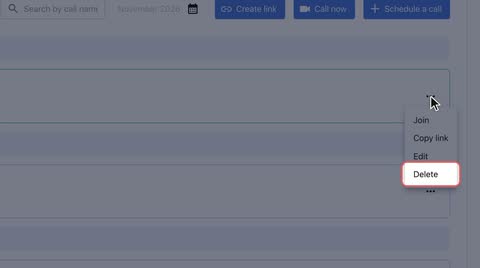
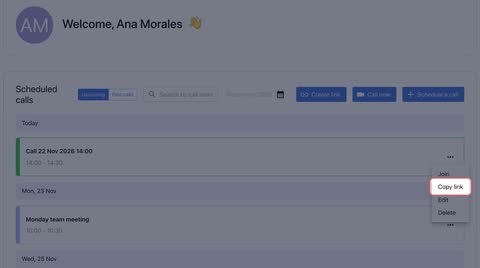
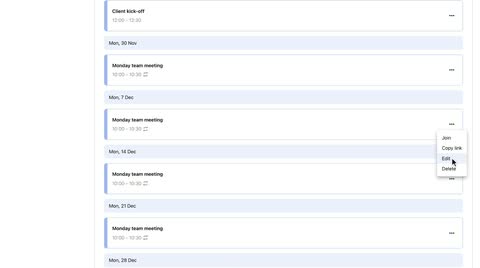
The three dots give you Join, Copy link, Edit and Delete.
Read
Start a call instantly with Call now
Start a call now · 1:56
1:24
Good to know
Good to know: the link is also in the address bar of the call's tab, and on its card on your dashboard, under the three dots.
Read
Set up a recurring call
Scheduling calls · 2:42
1:20
This call only
Open that Monday's menu on your dashboard, and click Edit.
Read
1:24
This call only
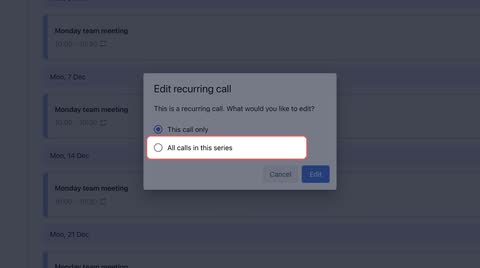
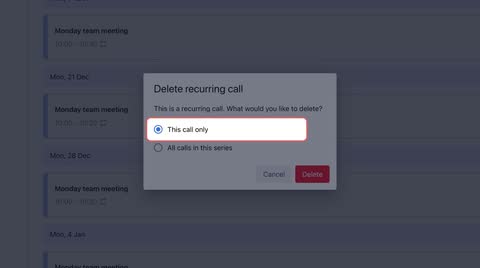
You're asked: This call only, or All calls in this series.
Read
1:29
This call only
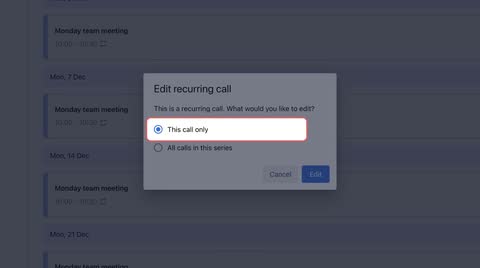
Keep This call only.
Read
1:50
Delete one date
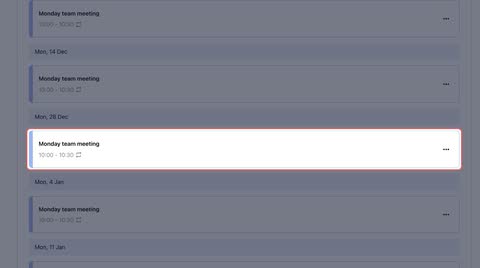
Another Monday, the meeting is off.
Read
1:53
Delete one date
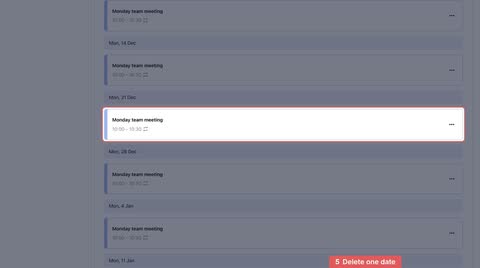
Open its menu, click Delete, keep This call only, and click Delete again.
Read
1:59
Delete one date
Everyone invited gets an email that this call is cancelled, and the other Mondays stay.
Read
Edit, reschedule or cancel a call
Scheduling calls · 2:27
0:17
Edit
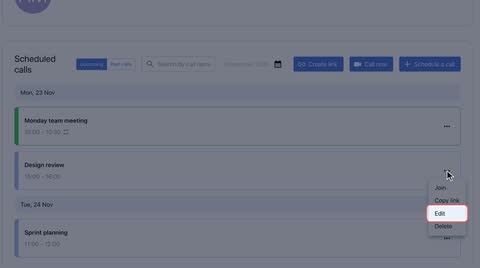
On your dashboard, open the menu on the call's card and choose Edit.
Read
1:18
Delete
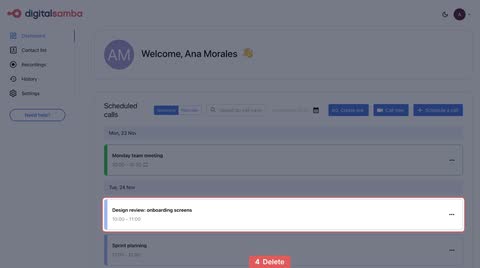
In the end, the review isn't needed.
Read
1:21
Delete
Open the card's menu again and choose Delete.
Read
All topics